 fyllyo
Last year’s tax instead of last year’s excess
Last year’s Form 5329 shows the excess carried forward and, one line below, the tax on it. Software can copy the wrong line, or a zero from the top of the part.
TAX FORMS · IRS · BUILT IN
Add the Forms 1099-R, last year’s Form 5329, account statements and your workpapers. Fyllyo fills Form 5329 on your Mac. Anything it can’t settle from the documents is left for you, with the reason.
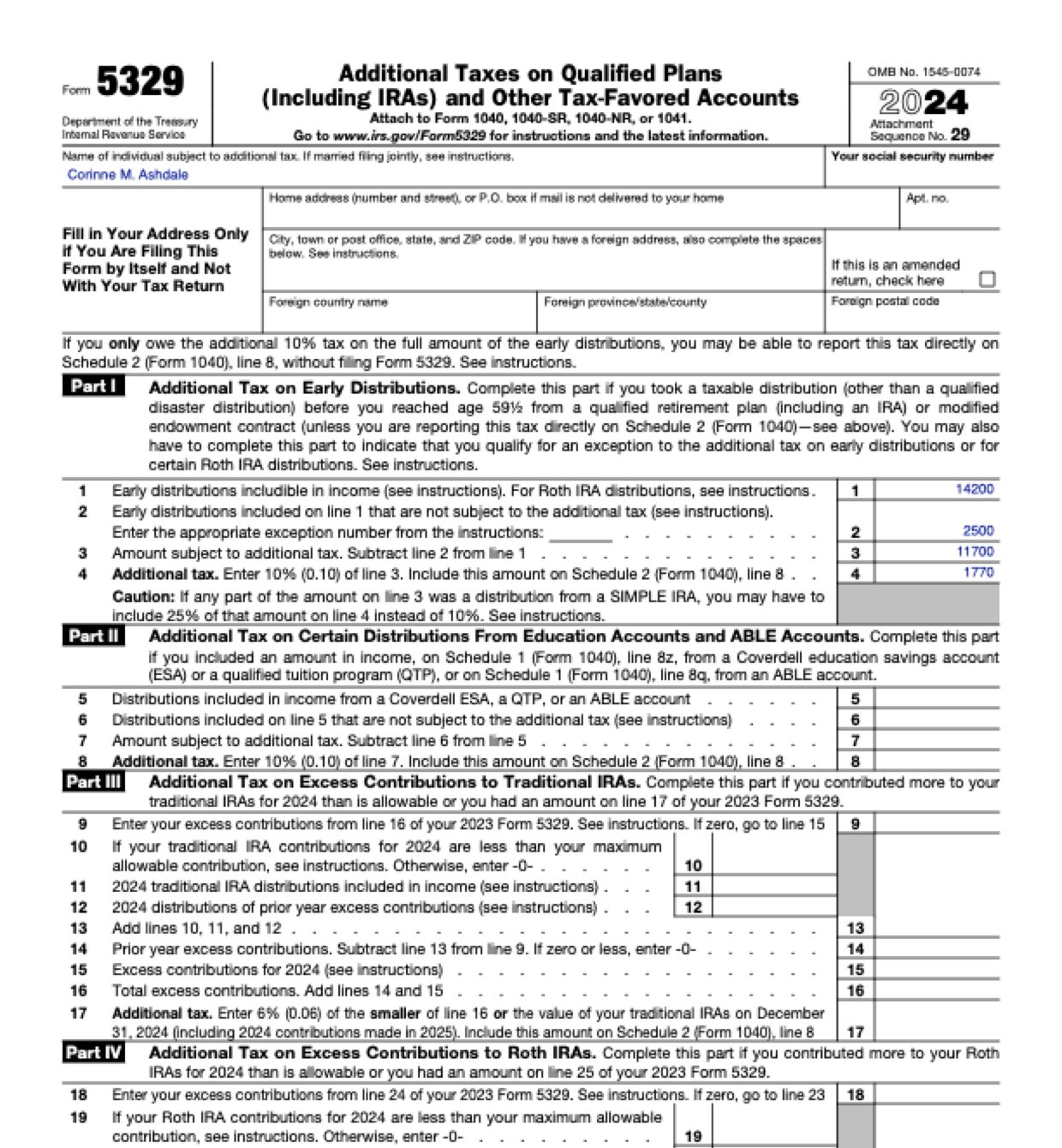
Form 5329 gathers several separate additional taxes on one form, and each part draws on different papers: Forms 1099-R, last year’s Form 5329, account statements and workpapers full of similar-looking amounts. Software reading that pile can take the wrong one. These are the common places AI tools and autofill get it wrong. What the form requires is for the IRS to say. Follow its instructions. IRS official page for Form 5329.
Last year’s Form 5329 shows the excess carried forward and, one line below, the tax on it. Software can copy the wrong line, or a zero from the top of the part.
When an exception covers only part of a withdrawal, the papers hold both a bill and the worked-out exempt figure. Software can take the bill as the amount that escapes the extra tax.
A missed required distribution is often made up early the next year. Software that adds that payment to the year’s distributions makes the shortfall disappear.
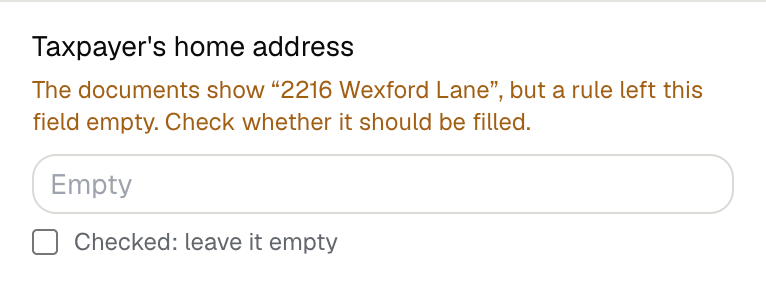
The form’s address block is only for a Form 5329 filed by itself, and the papers carry old addresses and payers’ addresses. Autofill fills every box it can.
With a test client and eight documents (Forms 1099-R, last year’s Form 5329, HSA and retirement account records, a distribution workpaper, a required-distribution reconciliation and notes), Fyllyo filled 19 fields in 40 seconds. It kept the address off the form, because this form was filed with the return, and showed the preparer what it found.
Fyllyo can fill all 75 fields on Form 5329 from the client’s documents. Lines the documents don’t support stay blank and are listed for you to check.
You confirm on every form
Fyllyo reads the documents you already have. These can be PDFs, scans, photos, Word files or typed notes, and you can add several at once. Fyllyo works out which document answers which line.
Client documents and the filled form never leave your computer. Fyllyo uploads nothing. Once it is set up, filling works offline.
Fyllyo doesn’t decide what to file, give legal or tax advice, or submit Form 5329 for you. Use the IRS’s official page for Form 5329 and your professional judgement. Fyllyo does the reading and the typing.
Fyllyo reads scans and photos as well as PDFs, Word files and typed notes. Clear, readable copies give the best results, and every answer on Form 5329 still shows the line it came from.
Try form filling free for 5 days. Then buy Fyllyo Paid once for $99. It is a lifetime licence with free updates and no subscription. Filling forms on your Mac uses no AI credits. Pricing and licence details.