 fyllyo
Redact a contract
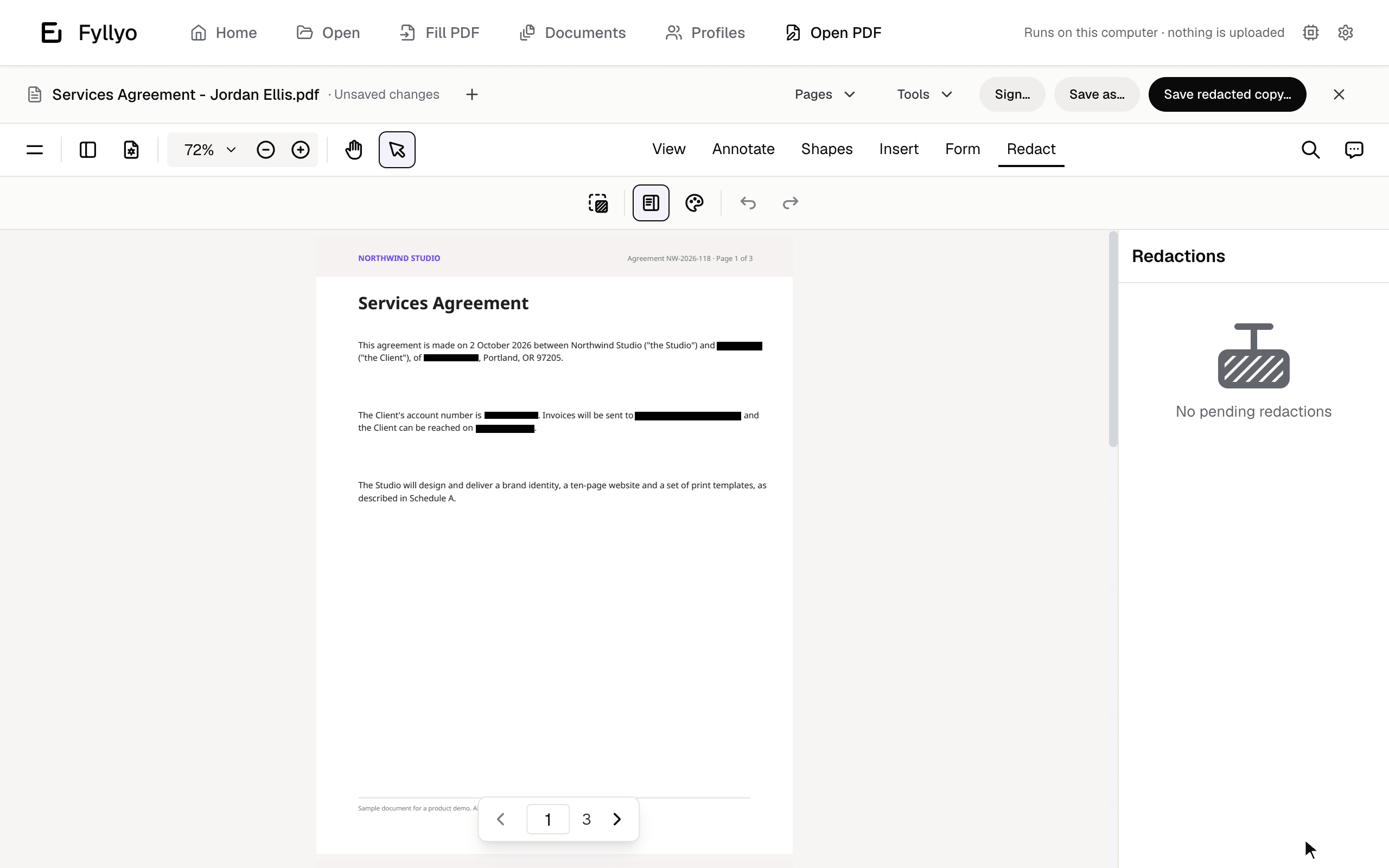
A name, address and account number found on three pages, blacked out, and saved as a separate redacted copy. The original stays as it was.
Fyllyo Paid
Read, sign, organize, password-protect and recognize text in PDFs, with no account. When you need redaction, certificate signing and text editing, pay $99 once. Acrobat Pro costs $239.88 a year.
Free forever · Paid is $99 once · No subscription · Apple silicon, macOS 13 or later
Your files never leave your Mac.
The free tools don’t expire and need no account. Fyllyo Paid is one purchase, for one Mac, with free updates.
Recorded in the app, with a sample contract and receipt.
A name, address and account number found on three pages, blacked out, and saved as a separate redacted copy. The original stays as it was.
Fyllyo Paid
Search a scanned receipt and find nothing. Recognize its text, and the same search finds it. Copy and paste work too.
Free
Choose your certificate, sign, and the bar says who signed and that the file hasn’t changed since.
Fyllyo Paid
Move the last page to the front, turn a sideways page, and save.
Free
Preview is fine for reading. These are the jobs people usually pay Adobe for.
Black out a name everywhere it appears, including in comments, fields and attachments. Fyllyo then checks the saved file for anything left behind, and keeps your original as it was.
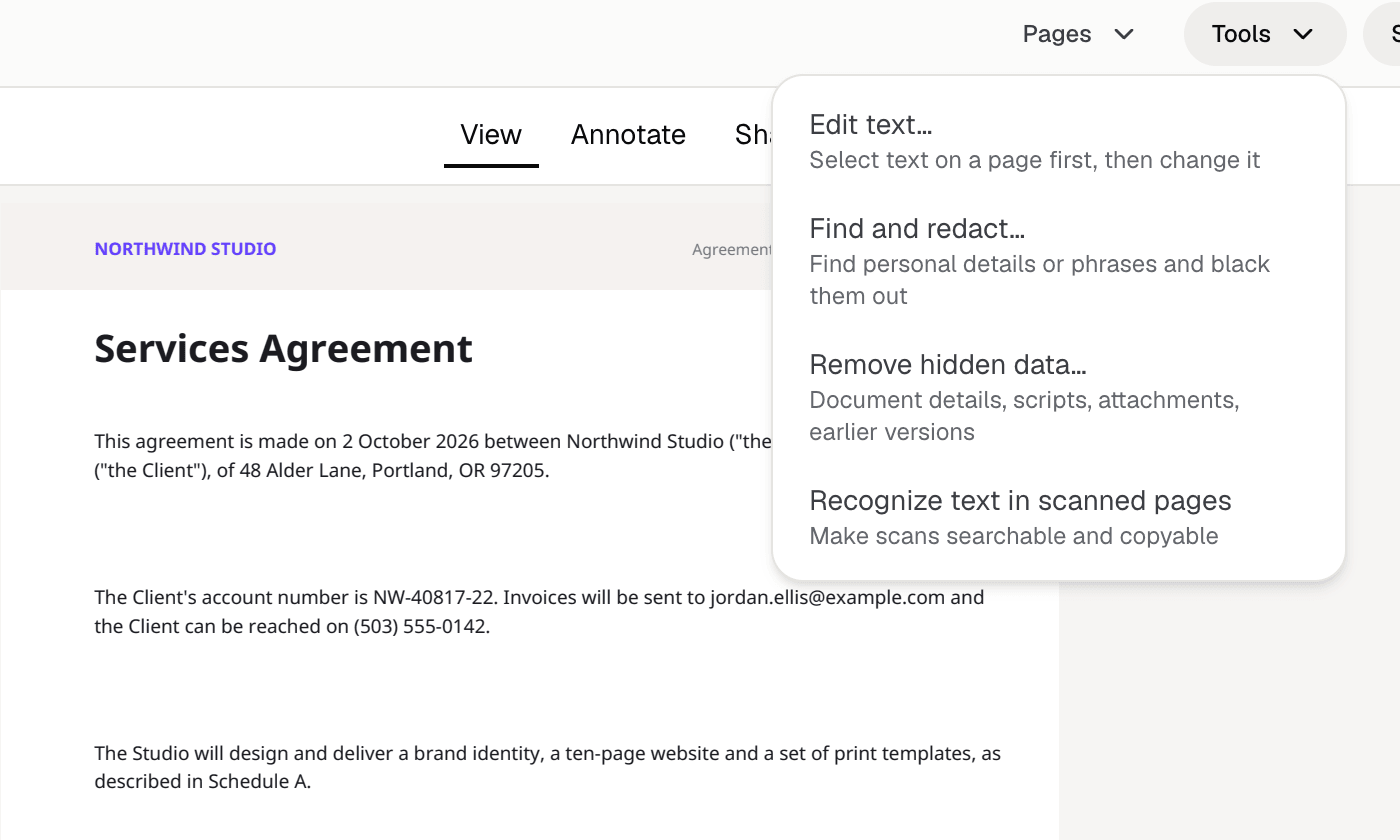
Require a password to open a PDF, or stop others printing, copying or changing it. Files are encrypted with AES-256, and PDFs that need a password open with every tool working.
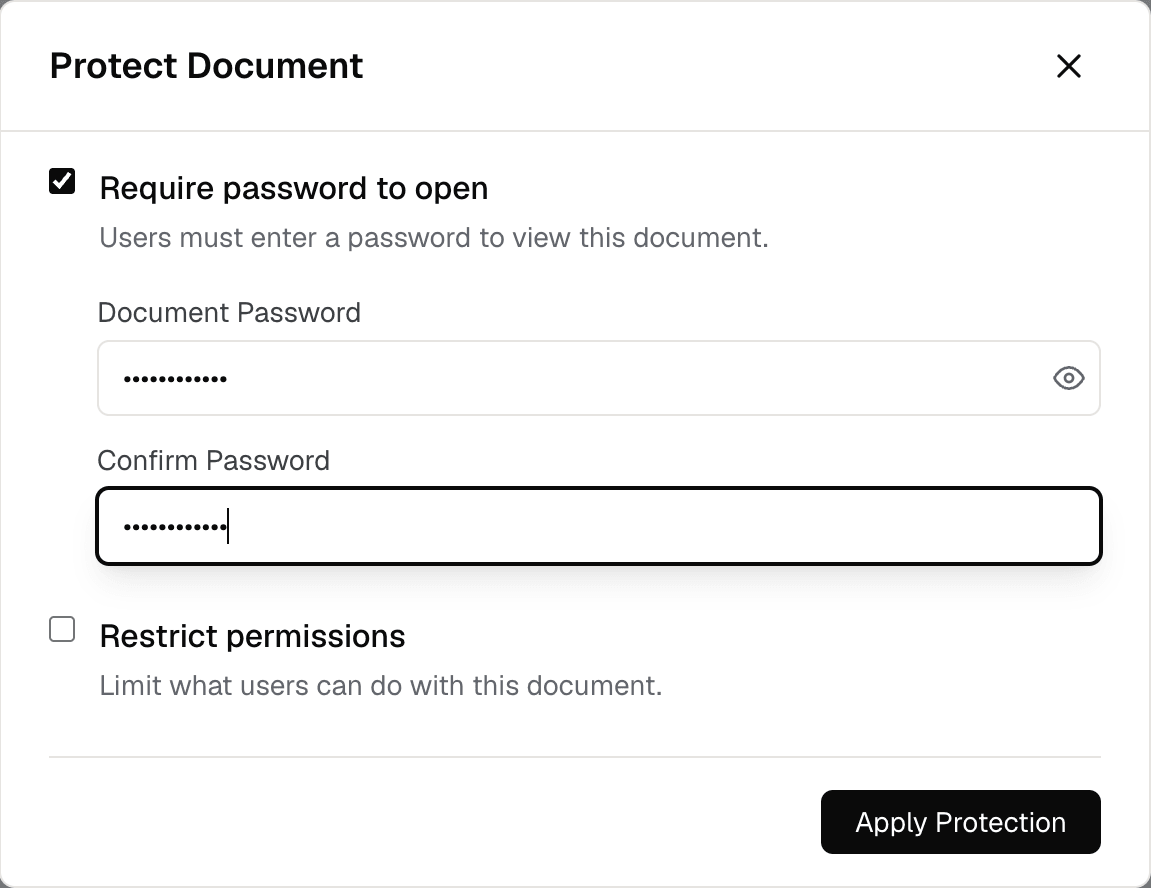
Turn a scanned receipt, contract or statement into a PDF you can search and copy from. It runs on your Mac, for free.
What each one does on a Mac. Acrobat prices are from adobe.com, checked October 2026.
| Fyllyo | Acrobat Pro | Preview | |
|---|---|---|---|
| Price | Free; Paid is $99 once | $239.88 a year (Pro, annual plan) | Free with macOS |
| Read, comment, sign by hand, organize pages | Free | Yes | Yes |
| Password-protect a PDF | Free | Yes | Yes |
| Make scanned PDFs searchable (OCR) | Free, on your Mac | Yes | Selects text, doesn’t save it |
| Find and redact, with a check for leftovers | Paid | Yes | No leftover check |
| Sign with a digital certificate | Paid | Yes | No |
| XFA forms (common in government forms) | Paid | Yes | No |
| Forms that calculate their totals | Paid | Yes | No |
| Edit existing text | Paid, a line or paragraph at a time | Yes, and page layout | No |
| Fill forms from documents with AI on your Mac | Paid | No | No |
| Export to Word or Excel | No | Yes | No |
| Windows | No | Yes | No |
A Mac with Apple silicon (M1 or later) and macOS 13 Ventura or later. The download is about 200 MB.
Filling forms from documents uses an AI model of about 5 GB, which downloads only when you use it. 16 GB of memory is recommended for it.
Fyllyo is signed and notarized by Apple, and updates install by themselves.
Acrobat Pro is $239.88 a year. Fyllyo Paid is $99, once, with free updates for life.
Start with the free tools. Sign in to try everything in Paid for 5 days, with no credit card.
Fyllyo Paid
$99one-time · lifetime licence
Apple silicon · macOS 13 or later. Download for Mac
Yes. Reading, filling in, commenting, drawn signatures, page tools, combining, splitting, images to PDF, recognizing text in scans and password protection are free, with no account, and they don’t expire. Fyllyo Paid adds the pro tools for $99 once.
For most PDF work, yes: reading, signing, organizing, OCR, redaction, certificate signatures, text edits and forms. It doesn’t convert PDFs to Word or Excel, compare documents, send documents out for signature, or run on Windows. If you need those, keep Acrobat.
Open the PDF in Fyllyo, choose Security from the viewer’s menu, tick “Require password to open”, enter the password twice and save. The saved file is encrypted with AES-256. You can also limit printing, copying and editing.
Open it in Fyllyo and choose Tools, then “Recognize text in scanned pages”. Fyllyo adds an invisible text layer using Apple’s text recognition on your Mac, so you can search, select and copy the text. It’s free.
It’s probably an XFA form, which Preview and most browsers can’t show. Fyllyo Paid opens XFA forms and lets you fill them in and save them.
Redaction removes the text and images under each mark, not just covers them. Fyllyo also removes matching text from comments, form fields, bookmarks, document details and attachments, checks the saved file for anything left, and saves a separate redacted copy so the original isn’t overwritten.
No. Everything happens on your Mac, including text recognition and form filling with AI. The only exception is setting up your own custom form for automatic filling, which sends the blank form and your setup notes.
Signing in to the app starts a 5-day trial of Fyllyo Paid, with no credit card. When it ends, the free tools keep working. Buy Fyllyo Paid for $99 once to keep the pro tools, with free updates.