 fyllyo
Free, with no account
Password protection is one of Fyllyo’s free tools, and it doesn’t expire.
Require a password to open a PDF, or let people open it but limit printing and copying. It takes a few seconds, it’s free, and your file never leaves your Mac.
Free, with no account · Nothing uploaded · Apple silicon, macOS 13 or later
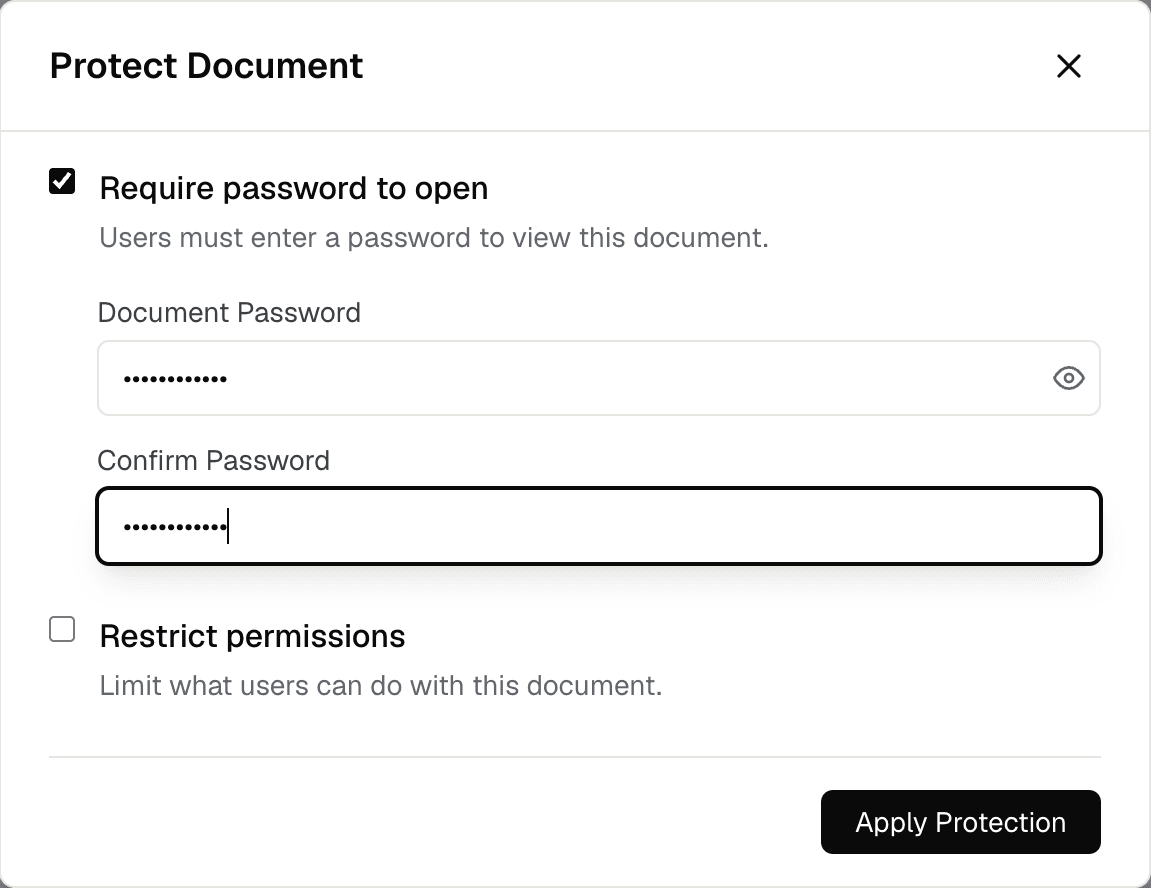
Drop it on Fyllyo’s Home screen, or choose Open.
The Protect Document window opens.
Tick Require password to open and type the password twice. Or tick Restrict permissions to limit printing and copying.
The saved PDF is encrypted, and asks for the password in any PDF app.
Password protection is one of Fyllyo’s free tools, and it doesn’t expire.
Online tools that add passwords need your file first. Fyllyo protects it on your Mac.
Once you enter the password, you can read, fill, sign, edit pages and save a protected PDF.
Yes. In Fyllyo it’s free, with no account: choose Security from the viewer’s menu, tick Require password to open, type the password twice, and save.
Yes. In the Protect Document window, tick Restrict permissions to limit what people can do with the PDF without a password. PDF apps that respect permissions enforce them.
No. The PDF is protected on your Mac, and your files are never sent anywhere.
Fyllyo can’t recover it, and neither can anyone else; that’s what makes it safe. Keep the password somewhere secure, or keep an unprotected copy.
Reading, filling in, drawn signatures, page tools, combining, splitting, text recognition and passwords are free. Fyllyo Paid adds filling forms from your documents with AI, redaction, certificate signing, text editing, smaller PDFs and XFA forms, for $99 once.