 fyllyo
iPhone photos just work
HEIC and HEIF photos from your iPhone go straight in, with JPEG, PNG, TIFF, WebP, GIF and BMP. No converting first.
Pick your photos and scans, put them in order and save one PDF, a page for each. iPhone HEIC photos, JPEG, PNG and TIFF all work. Each picture is fitted to the page and turned the right way up. Nothing is uploaded.
Free, with no account · Nothing uploaded · Apple silicon, macOS 13 or later
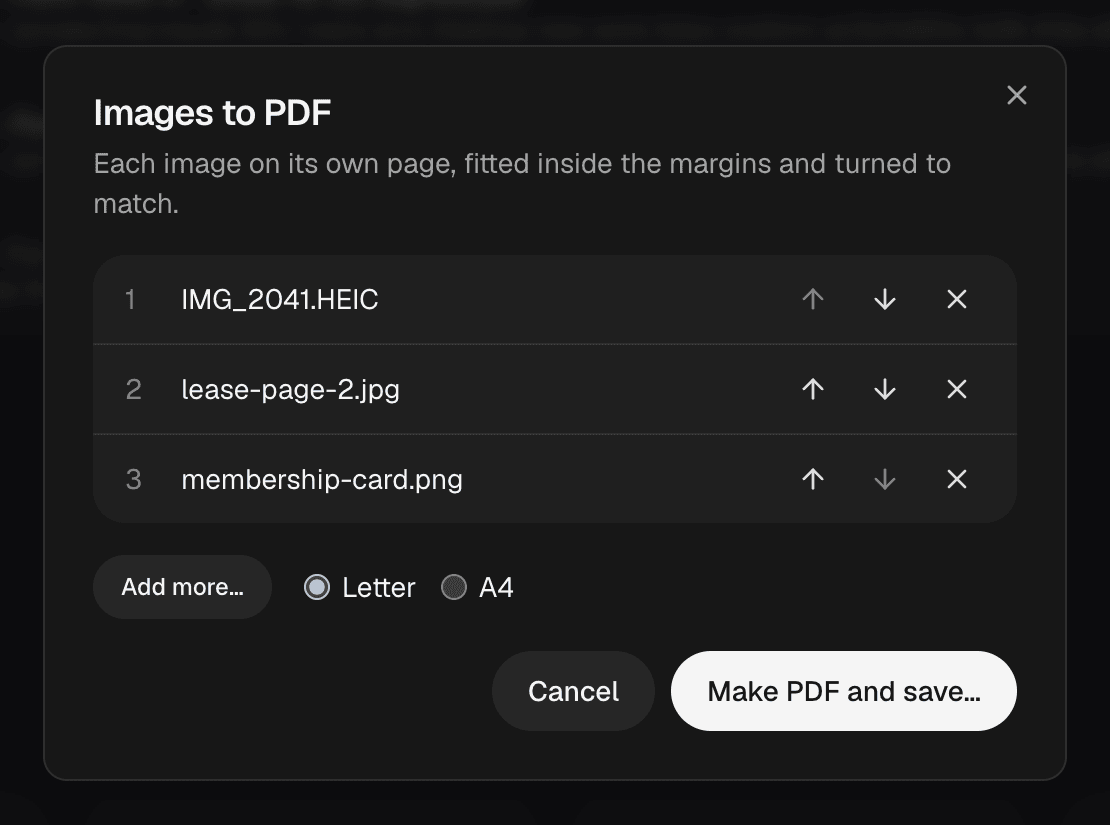
Then Choose images… and pick your photos and scans.
Move each one up or down, take one out, or Add more….
Each image goes on its own page, fitted inside the margins and turned to match the page.
Name the PDF and save it. It opens in Fyllyo, ready to sign, combine or send.
HEIC and HEIF photos from your iPhone go straight in, with JPEG, PNG, TIFF, WebP, GIF and BMP. No converting first.
Online converters need your photos, and photos of IDs and receipts are the last thing to upload. Fyllyo makes the PDF on your Mac.
A PDF of photos is pictures of text. Choose Recognize text and Fyllyo makes it searchable and copyable, on your Mac, for free.
Yes. In Finder, select the images, Control-click and choose Quick Actions > Create PDF. In Preview, open them together and choose File > Print > Save as PDF. Fyllyo does it in one window: order the pages, pick Letter or A4, save.
In Fyllyo, choose Images to PDF on the Home screen, then Choose images… and pick the HEIC photos. Put them in order and choose Make PDF and save…. It’s free, with no account.
Yes. Pick as many as you like. Each goes on its own page, in the order you set.
No. Fyllyo makes the PDF on your Mac, and your photos are never sent anywhere.
Every PDF tool is free, with no account: reading, filling in, signatures, certificate signing, page tools, combining, splitting, text recognition, passwords, text editing, redaction, smaller PDFs and XFA forms. Optional: Fyllyo Paid, $99 once, fills forms from your documents with AI that runs 100% on your Mac.