 fyllyo
See it before you share it
Author names, the app that made the file, titles from old drafts. Fyllyo shows each one, so you know what you’re sending.
A PDF can carry far more than its pages show: your name, the app it came from, scripts, attached files, where a photo was taken, and earlier versions with text you deleted. Fyllyo shows you all of it and removes what you tick. Free, on your Mac.
Free, with no account · Nothing uploaded · Apple silicon, macOS 13 or later
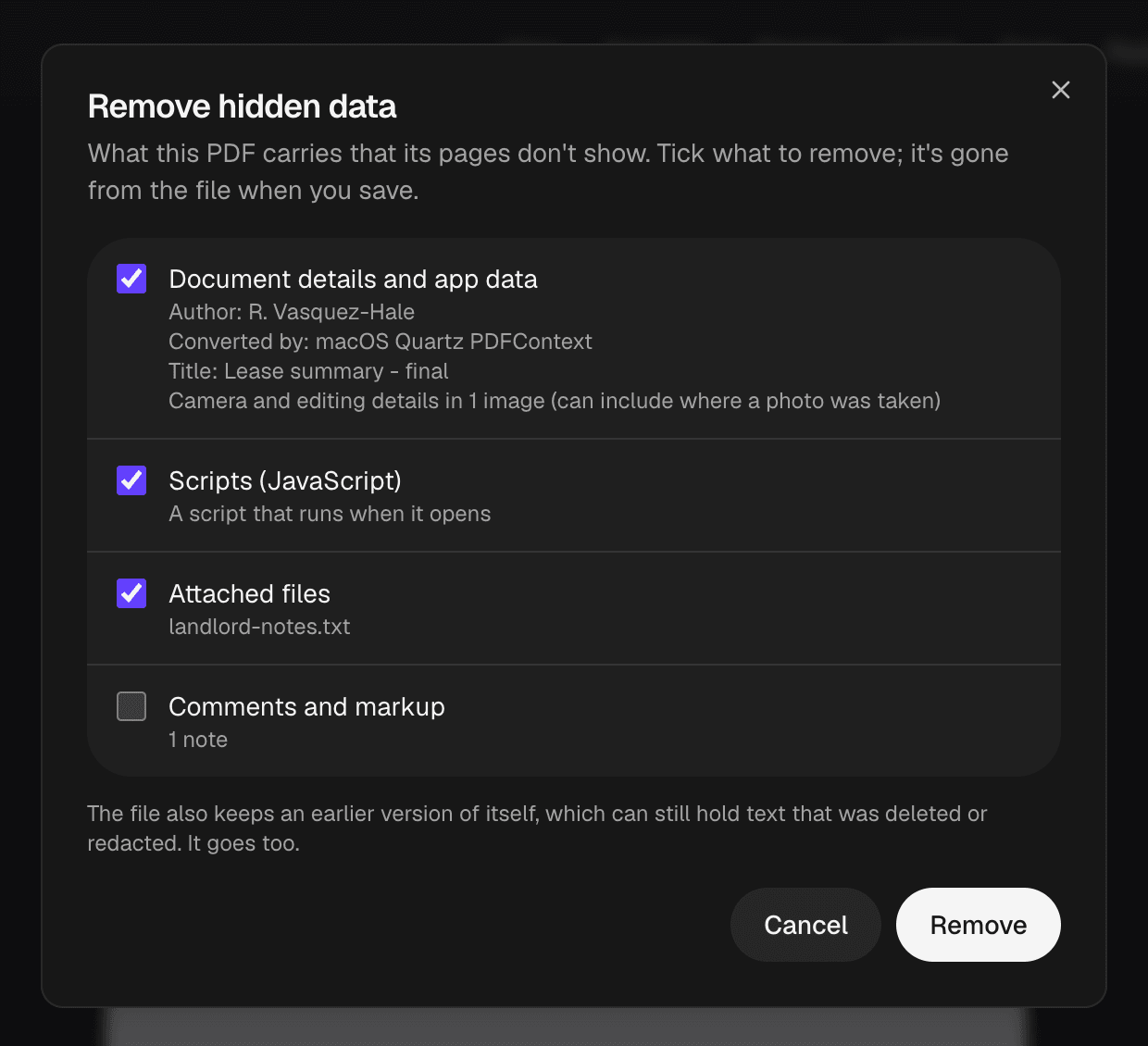
Drop it on Fyllyo’s Home screen, or choose Open.
Fyllyo lists everything the file carries that its pages don’t show.
Document details, scripts and attached files are ticked for you. Comments are your call.
It’s gone from the file when you save. Earlier saved versions go too.
Author names, the app that made the file, titles from old drafts. Fyllyo shows each one, so you know what you’re sending.
Photos inside a PDF can say where they were taken. Saved PDFs can keep earlier versions with deleted text. Fyllyo finds both and removes them.
Black out names and numbers with Find and redact, then remove the hidden data, and the file says only what its pages say.
Open the PDF in Fyllyo, choose Tools, then Remove hidden data…, tick what to remove, choose Remove and save. It’s free, with no account.
Not really. Preview shows a few document details but doesn’t remove scripts, attached files, photo locations or earlier saved versions. Fyllyo lists all of them and removes them for free.
Author and app details, titles and keywords, scripts that run when it opens, attached files, comments, camera and location details inside photos, and earlier versions of the file that can still hold deleted text.
No. Fyllyo checks and cleans the PDF on your Mac, and your files are never sent anywhere.
Every PDF tool is free, with no account: reading, filling in, signatures, certificate signing, page tools, combining, splitting, text recognition, passwords, text editing, redaction, smaller PDFs and XFA forms. Optional: Fyllyo Paid, $99 once, fills forms from your documents with AI that runs 100% on your Mac.