Add real form fields to any PDF: text fields, checkboxes, radio buttons, dropdowns and list boxes. Drag a box where each answer goes, then save. Anyone can then type into the form in their own PDF app. Nothing is uploaded.
Free, with no account · Nothing uploaded · Apple silicon, macOS 13 or later
How to do it in Fyllyo
1
Open the PDF
Drop it on Fyllyo’s Home screen, or choose Open.
2
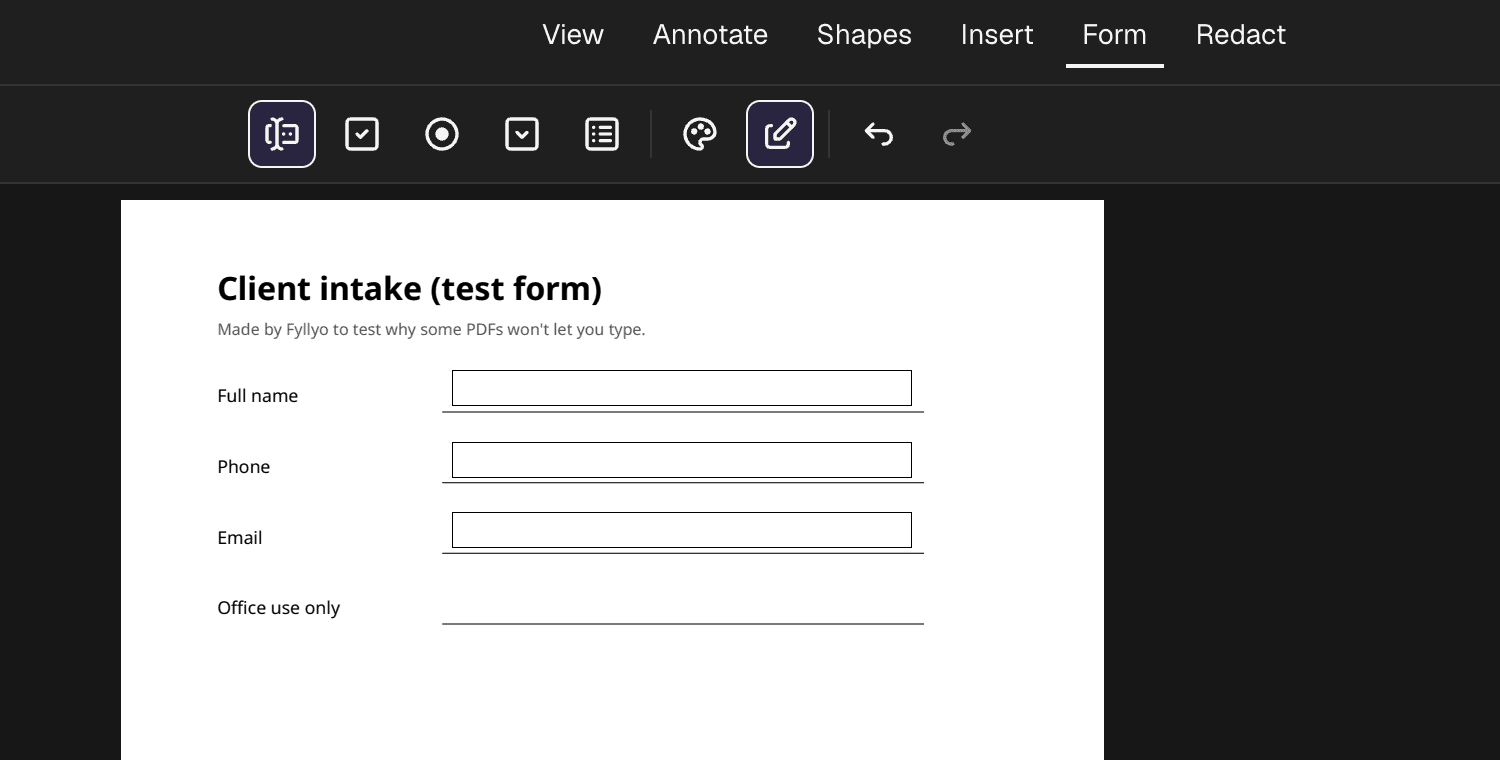
Choose Form, then a field type
Pick a text field, checkbox, radio button, dropdown or list box. Drag a box where each answer goes. The tool stays on, so you can draw one field after another. To name a field, list a dropdown’s options or make a field required, select it and choose the pencil.
3
Test the fields
Choose the pencil button to stop editing fields. Then click each field and type, just as the person filling it will.
4
Save
Choose Save, or Save as… for a copy. The fields are standard PDF form fields, so other PDF apps can fill them.
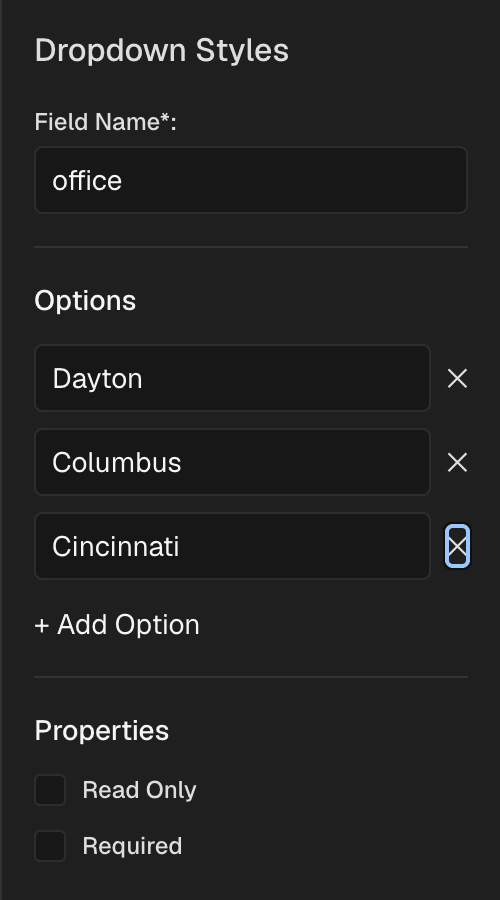
Step 2: name each field and list a dropdown’s options. You can also make a field required or read-only.
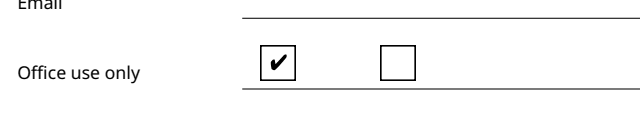
Checkboxes work the same way: draw them, then click to tick.
Step 3: stop editing fields, then type in each one to test it.
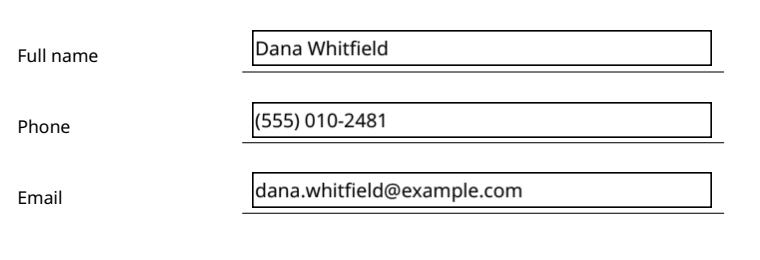
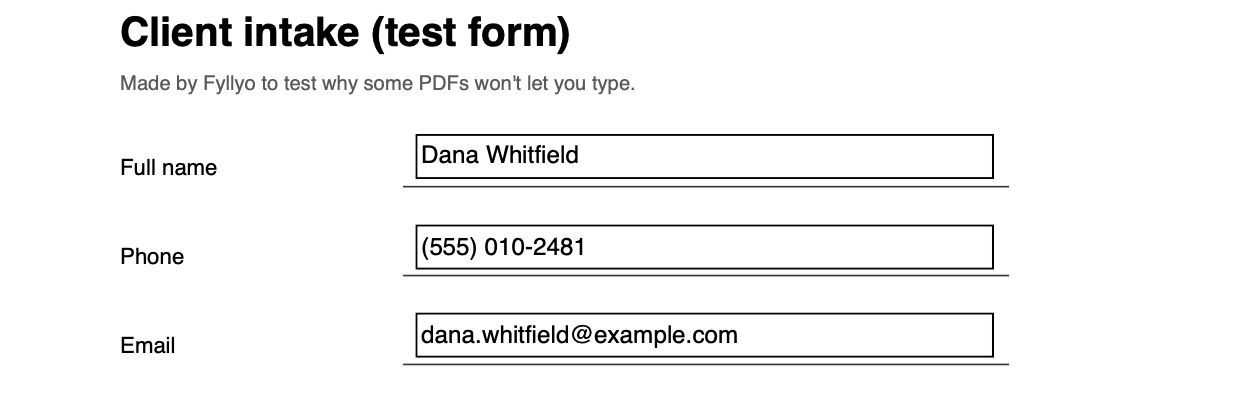
Step 4: the saved copy, rendered by macOS’s own PDF engine, the one Preview uses.
Why Fyllyo
Real fields, not text boxes
A text box only sits on top of the page. A form field is part of the form, so the next person can click it and type. Apple’s Preview guide covers filling forms and adding text boxes, not adding form fields (checked October 24, 2026).
Five kinds of field
Text fields, checkboxes, radio buttons, dropdowns and list boxes, drawn where you want them.
Then fill it from documents
A fillable PDF can become your own form in Fyllyo Paid. Set it up once, then Fyllyo fills it from each client’s documents, on your Mac.
Not with form fields. Preview can add text boxes on top of a page, which is enough to fill a form yourself. But the next person can’t click a text box and type, as they can with a form field.
Is it free?
Yes. Adding form fields is free in Fyllyo, with no account and no watermark.
Will the fields work in other PDF apps?
They’re standard PDF form fields. We made our test form fillable in Fyllyo, filled it and saved it. The saved copy lists all three fields with their values, and macOS’s own PDF engine shows them.
How do I add a checkbox to a PDF on a Mac?
In Fyllyo, choose Form, then the checkbox tool, and drag a small box where the tick goes. Switch to filling with the pencil button and click the box to tick it. In our test, the saved PDF kept the tick.
Can I name the fields and set dropdown options?
Yes. Select a field and choose the pencil. You can rename it, add or remove a dropdown’s options, and make it required or read-only. In our test, the saved PDF kept the name and all three options.
Can Fyllyo find the fields automatically?
Not yet. You draw each field where the answer goes.
Is my PDF uploaded?
No. Fyllyo adds the fields on your Mac, and the file never leaves it.
More you can do with your PDFs
Every PDF tool is free, with no account. That covers reading, filling in, signatures, certificate signing, page tools, combining, splitting, text recognition, passwords, text editing, redaction, smaller PDFs and XFA forms. Fyllyo Paid is optional. For $99 once, it fills forms from your documents with AI that runs 100% on your Mac.
 fyllyo