 fyllyo
The worker and the person signing up mixed up
When coverage comes through a spouse’s job, every plan document is addressed to the worker. Software can put the worker in the applicant’s box, or repeat the applicant as the employee.
GOVERNMENT FORMS · CMS · BUILT IN
Add the employer’s letter, the plan’s coverage history and the benefits office’s emails. Fyllyo fills Form CMS-L564 on your Mac. Anything the documents don’t settle is left for you, with the reason.
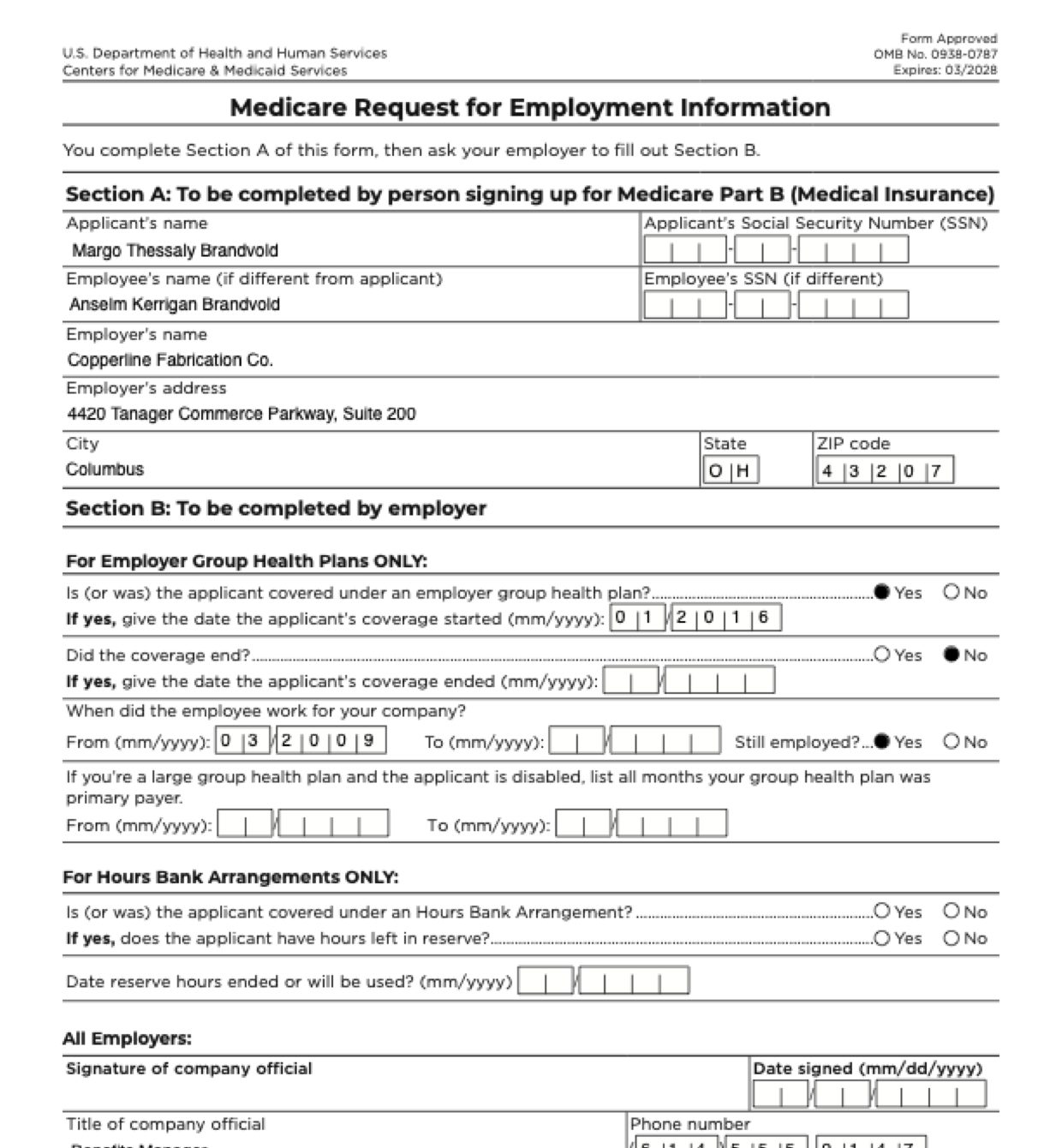
Form CMS-L564 is short, but the documents behind it are about two people and several organisations: the person signing up for Medicare, the worker whose job provides the coverage, the employer, and the insurer that runs the plan. Each has its own dates and addresses, and the form wants only some of them, as month and year. These are the common places AI tools and autofill get it wrong. What the form requires is for CMS to say. Follow its instructions. CMS official page for Form CMS L564.
When coverage comes through a spouse’s job, every plan document is addressed to the worker. Software can put the worker in the applicant’s box, or repeat the applicant as the employee.
A coverage history lists many dates: the worker’s own enrollment, the spouse’s, dental and vision, renewals, and the date Medicare started. Software can take the first date it sees, with the day, where the form asks for month and year.
An employer’s letter may say the worker “may retire” next year. Software can read that as employment ending, tick “No” for still employed, or put the possible date in the “To” box.
A packet like this can hold the employer’s current address, its old one, and the insurer’s claims and home-office addresses. Software can fill the employer box with whichever comes first, and copy a ZIP+4 or a spelled-out state into boxes printed for five digits and two letters.
The form asks for primary-payer months only for a large group health plan when the applicant is disabled. Plan letters often list those months anyway, and software that finds them can copy them in.
Section B has one part for employer group health plans and one for hours bank arrangements. Software filling every Yes/No it sees can tick boxes in both.
The bottom of Section B is the company official’s. Software can fill the date signed with the date of a letter or email, or today’s date.
With a test client and four documents (intake notes, the employer’s verification letter, the plan’s enrollment history and a benefits manager’s email), Fyllyo filled 18 fields in 10 seconds, each with the line it came from.
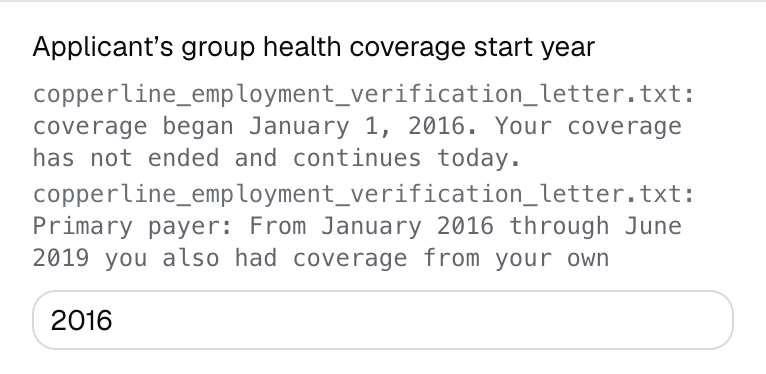
Fyllyo can fill all 44 fields on Form CMS L564 from the client’s documents. Lines the documents don’t support stay blank and are listed for you to check.
You confirm on every form
Fyllyo reads the documents you already have. These can be PDFs, scans, photos, Word files or typed notes, and you can add several at once. Fyllyo works out which document answers which line.
Client documents and the filled form never leave your computer. Fyllyo uploads nothing. Once it is set up, filling works offline.
Fyllyo doesn’t decide what to file, give legal or tax advice, or submit Form CMS L564 for you. Use the CMS’s official page for Form CMS L564 and your professional judgement. Fyllyo does the reading and the typing.
Fyllyo reads scans and photos as well as PDFs, Word files and typed notes. Clear, readable copies give the best results, and every answer on Form CMS L564 still shows the line it came from.
Try form filling free for 5 days. Then buy Fyllyo Paid once for $99. It is a lifetime licence with free updates and no subscription. Filling forms on your Mac uses no AI credits. Pricing and licence details.