 fyllyo
Fiscal-year dates written out
A fiscal-year corporation’s records write the year out, as in “July 1, 2023 through June 30, 2024”. The header wants month and day with a two-digit year. Software can copy the dates as written, or swap month and day.
TAX FORMS · IRS · BUILT IN
Add the S corporation’s organizer, shareholder register, tax schedules, balance sheet and reconciliation workpapers. Fyllyo fills Form 1120-S on your Mac. Anything the documents disagree on is left for you, with the reason.
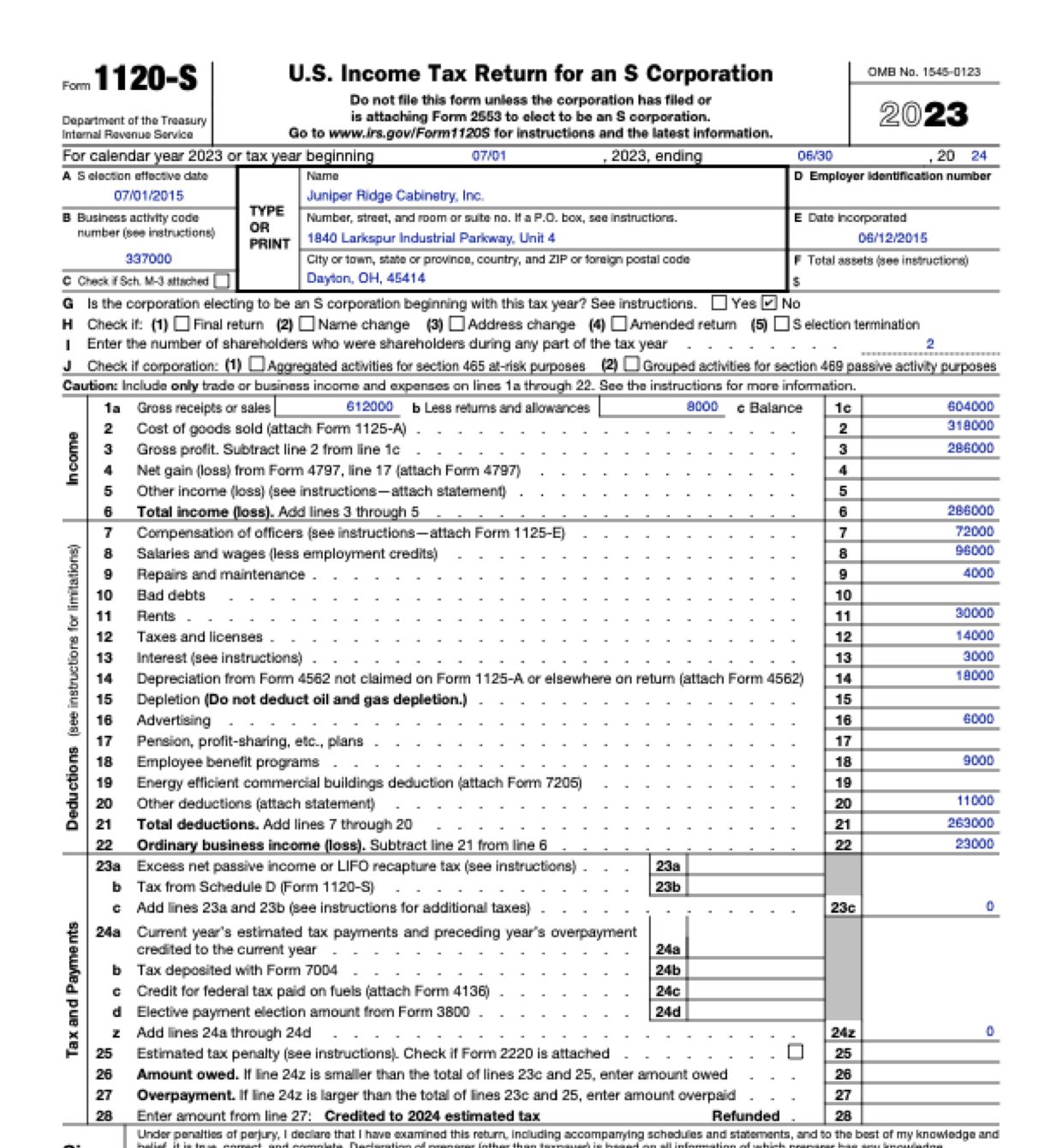
Form 1120-S draws on a stack of workpapers: book figures and tax figures, a balance sheet, a shareholder register and a ledger of payments to owners, often with more than one version of the same number. These are the common places AI tools and autofill get it wrong. What the form requires is for the IRS to say. Follow its instructions. IRS official page for Form 1120-S.
A fiscal-year corporation’s records write the year out, as in “July 1, 2023 through June 30, 2024”. The header wants month and day with a two-digit year. Software can copy the dates as written, or swap month and day.
The file holds an income statement per books and a tax schedule, and their numbers differ. Depreciation is one example. Software can put a book amount on a tax line.
A draft balance sheet can print a total that doesn’t match its own accounts. Software copies the printed total into item F and Schedule L without adding anything up.
The books list charitable contributions with the other expenses, but they’re reported separately to shareholders, not deducted on page 1. Software can add them to other deductions.
A ledger of payments to shareholders mixes distributions with repayments of money an owner lent the company, and often ends with one total. Software can report the whole total as distributions.
With a test client and seven workpapers (an organizer, the shareholder register, the tax operating schedule, Schedule K items and owner payments, a draft balance sheet, a book-to-tax reconciliation and the AAA schedule), Fyllyo filled 112 fields in 64 seconds. It left 4 for the preparer, each with the reason.
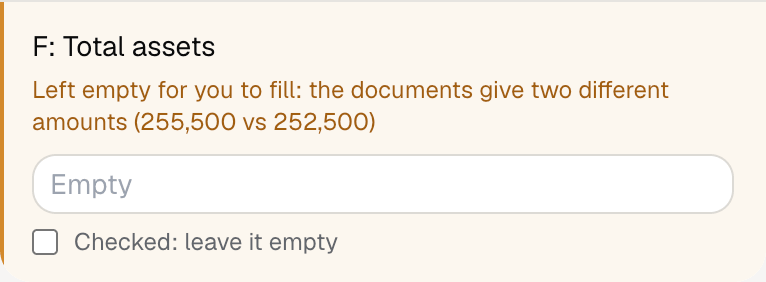
Fyllyo can fill all 314 fields on Form 1120-S from the client’s documents. Lines the documents don’t support stay blank and are listed for you to check.
You confirm on every form
Fyllyo reads the documents you already have. These can be PDFs, scans, photos, Word files or typed notes, and you can add several at once. Fyllyo works out which document answers which line.
Client documents and the filled form never leave your computer. Fyllyo uploads nothing. Once it is set up, filling works offline.
Fyllyo doesn’t decide what to file, give legal or tax advice, or submit Form 1120-S for you. Use the IRS’s official page for Form 1120-S and your professional judgement. Fyllyo does the reading and the typing.
The built-in Form 1120-S is the 2023 version. For a different edition, add that fillable PDF as your own form. You set it up once, then fill it like this one. Set up that fillable PDF as your own form →
Fyllyo reads scans and photos as well as PDFs, Word files and typed notes. Clear, readable copies give the best results, and every answer on Form 1120-S still shows the line it came from.
Try form filling free for 5 days. Then buy Fyllyo Paid once for $99. It is a lifetime licence with free updates and no subscription. Filling forms on your Mac uses no AI credits. Pricing and licence details.