 fyllyo
A rollover isn’t a contribution
A transaction history lists regular contributions, a rollover from an old 401(k) and a distribution in one column. Software can add them all up as contributions.
TAX FORMS · IRS · BUILT IN
Add the trustee’s IRA records, the contribution history, the year-end valuation and the RMD notice. Fyllyo fills Form 5498 on your Mac. Anything the documents can’t settle is left for you, with the reason.
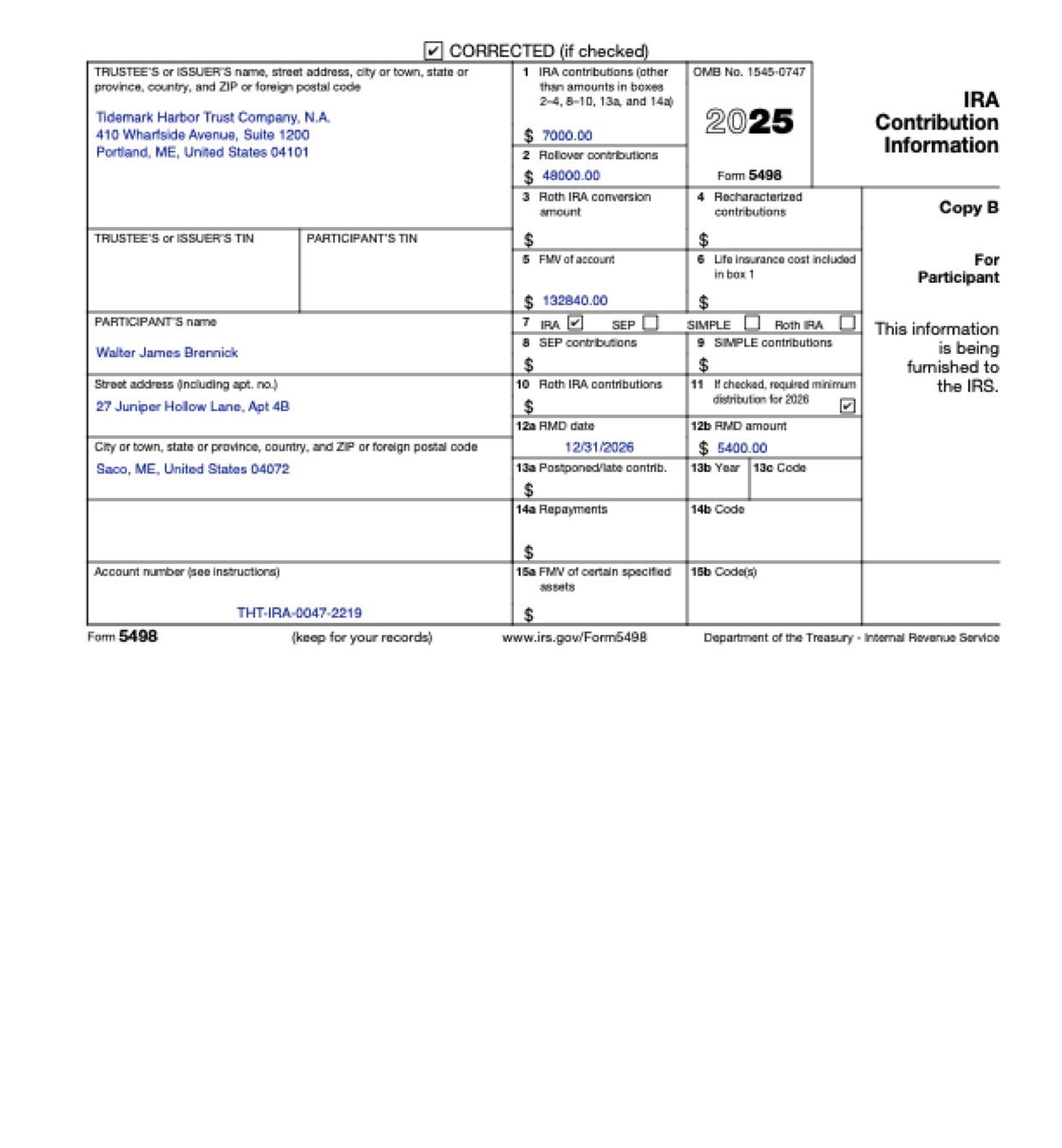
Form 5498 is filed by the IRA trustee, and its numbers come from several records at once: a reporting record and its correction, a transaction history, a year-end statement and an RMD notice, each holding amounts that belong to other boxes or other years. These are the common places AI tools and autofill get it wrong. What the form requires is for the IRS to say. Follow its instructions. IRS instructions for Form 5498.
A transaction history lists regular contributions, a rollover from an old 401(k) and a distribution in one column. Software can add them all up as contributions.
The file holds the original report and the correction that replaces it, with a different figure in one box. Software can copy the old figure, or miss that the form is a correction.
Year-end statements and RMD notices print last year’s value and last year’s distribution next to this year’s. Software can take the wrong column.
An RMD notice carries the date it was sent, the date of last year’s payment and the date this year’s distribution is due. Software can copy the wrong one, or copy it as written into a box that wants a number date.
Trustee records carry a reporting address, a client service P.O. box and an operations office, and the IRA owner has a current and a former address. Software can take the first address it finds.
The records show the IRA account number, a linked checking account and the old 401(k) plan’s account. Software can copy any of them as the account number.
With a test client and eight documents (the trustee’s reporting profile, the account record, the owner’s letter, the original and corrected 5498 records, the transaction history, the year-end valuation and the RMD notice), Fyllyo filled 13 fields in 14 seconds. Each answer shows the lines it came from.
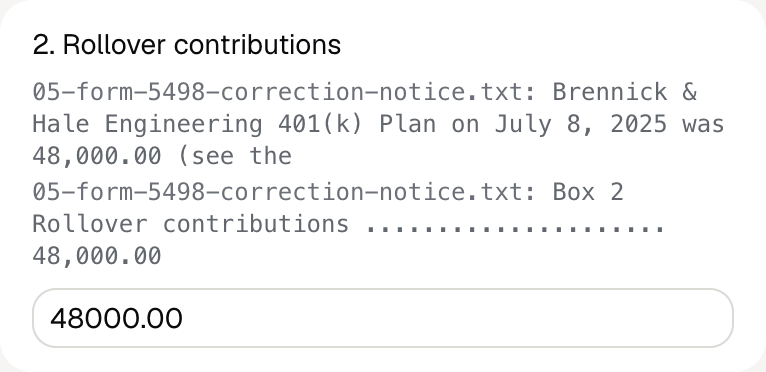
Fyllyo can fill all 31 fields on Form 5498 from the client’s documents. Lines the documents don’t support stay blank and are listed for you to check.
You confirm on every form
Fyllyo reads the documents you already have. These can be PDFs, scans, photos, Word files or typed notes, and you can add several at once. Fyllyo works out which document answers which line.
Client documents and the filled form never leave your computer. Fyllyo uploads nothing. Once it is set up, filling works offline.
Fyllyo doesn’t decide what to file, give legal or tax advice, or submit Form 5498 for you. Use the IRS’s instructions for Form 5498 and your professional judgement. Fyllyo does the reading and the typing.
Fyllyo reads scans and photos as well as PDFs, Word files and typed notes. Clear, readable copies give the best results, and every answer on Form 5498 still shows the line it came from.
Try form filling free for 5 days. Then buy Fyllyo Paid once for $99. It is a lifetime licence with free updates and no subscription. Filling forms on your Mac uses no AI credits. Pricing and licence details.