Skip to content

LABOR FORMS · Department of Labor · BUILT IN

Fill Form WH-380-E with AICertification of Health Care Provider

Add the employer’s FMLA request, the job description and the health care provider’s notes and appointments. Fyllyo fills Form WH-380-E on your Mac. Anything it can’t back with the documents is left for you, with the reason.

Official form and page from the Department of Labor.

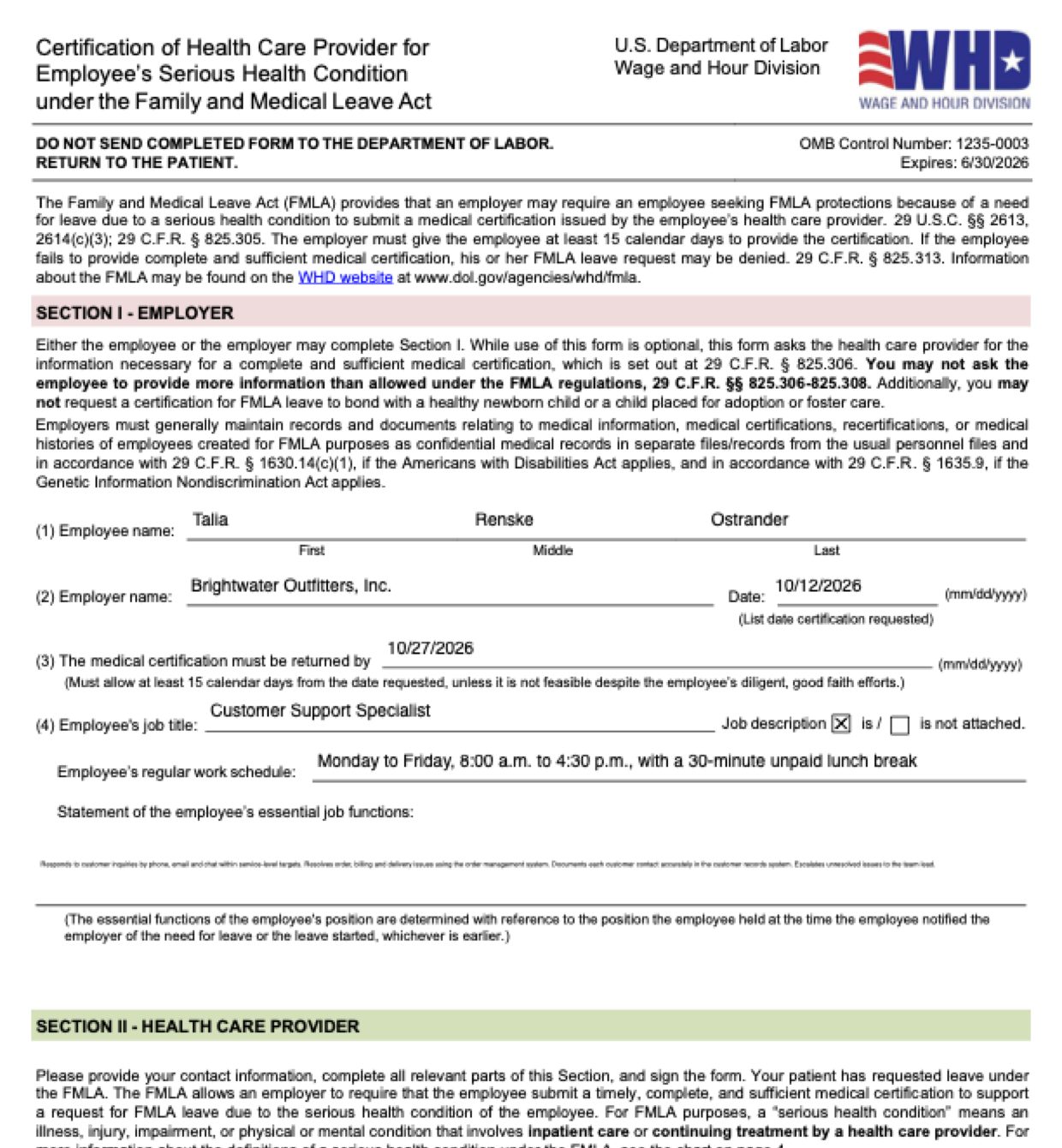
Page 1 of Form WH-380-E as Fyllyo filled it for a test client in a recorded run.
Page 1 of Form WH-380-E, as Fyllyo filled it for a test client

Where AI form filling goes wrong on Form WH-380-E

Form WH-380-E has two authors: the employer fills Section I and the health care provider fills Section II. Software reading the whole packet has to keep them apart, and tell leave dates, appointment dates and flare-ups from each other. These are the common places AI tools and autofill get it wrong. What the form requires is for the Department of Labor’s Wage and Hour Division to say. Follow its instructions. Department of Labor official page for Form WH-380-E.

Dates from the employer’s request, not the dates around them

An FMLA packet carries many dates: when the employee told HR, when leave starts, when the certification was requested and when it is due. Software can put any of them in the employer’s date boxes, or work out a due date the employer never gave.

The provider’s contact details, not the front desk’s or HR’s

A packet has phone numbers, faxes and emails for HR, a leave administrator, the clinic’s scheduling line and its billing office. Software can put any of them in the provider’s contact boxes.

The employer’s list of essential functions

The job description lists essential functions next to physical demands and qualifications, the employee describes the job in their own words, and the provider names what they can’t do. Software can blend them, or copy the whole job description into the employer’s box.

How often and how long flare-ups last

Notes give several rhythms: how often flare-ups happen, how long each lasts, how often follow-up visits are, and how much leave the employee asked for. Software can swap frequency and duration, or copy the appointment interval or the employee’s request as the provider’s estimate.

A leave window isn’t a period of incapacity

The employer’s packet shows the leave the employee asked for, from one date to another. Software can copy that range into the form’s continuous-incapacity dates.

Past visits aren’t planned treatment

A clinic’s visit list mixes past visits, same-day visits and booked follow-ups. Software can copy every date it finds onto the planned-treatment line.

How Fyllyo takes care of them

With a test client and five documents (the employer’s certification request, a job description, the employee’s intake, the provider’s assessment and the clinic’s visit list), Fyllyo filled 31 fields in 19 seconds.

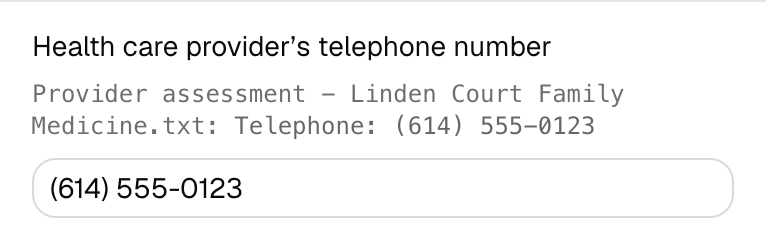
Fyllyo's review of a test Form WH-380-E: the health care provider's telephone number filled as (614) 555-0123, shown with the line from the provider's assessment it came from.
  • Dates from the employer’s request, not the dates around them. Takes the request date and the return-by date only where the employer labels them, and copies the due date as written, never calculating one.
  • The provider’s contact details, not the front desk’s or HR’s. Reads only the certifying provider’s own telephone, fax and email, and fills a contact only when that exact value is in the documents.
  • The employer’s list of essential functions. Copies the employer’s essential-functions list into Section I as written, and takes the functions the employee can’t perform from the provider’s statement.
  • How often and how long flare-ups last. Reads only the provider’s estimate for episodes of incapacity, keeping the number and its unit apart. In the test, that was 2 times per month, 1 day each.
  • A leave window isn’t a period of incapacity. Fills a period of incapacity only from a spell the provider certifies, never from the leave the employee or employer proposed.
  • Past visits aren’t planned treatment. Puts only the visits the provider lists as scheduled on the planned-treatment line. In the test, that was two follow-ups, and the three past visits were left off.

How much of a Form WH-380-E does Fyllyo fill?

Fyllyo can fill all 59 fields on Form WH-380-E from the client’s documents. Lines the documents don’t support stay blank and are listed for you to check.

You confirm on every form

  • Employee's first name
  • Employee's middle name
  • Employee's last name
  • Employee name

What do you give Fyllyo?

Fyllyo reads the documents you already have. These can be PDFs, scans, photos, Word files or typed notes, and you can add several at once. Fyllyo works out which document answers which line.

Client data stays on your Mac

Client documents and the filled form never leave your computer. Fyllyo uploads nothing. Once it is set up, filling works offline.

What Fyllyo doesn’t do

Fyllyo doesn’t decide what to file, give legal or tax advice, or submit Form WH-380-E for you. Use the Department of Labor’s official page for Form WH-380-E and your professional judgement. Fyllyo does the reading and the typing.

What if a document is a scan or a photo?

Fyllyo reads scans and photos as well as PDFs, Word files and typed notes. Clear, readable copies give the best results, and every answer on Form WH-380-E still shows the line it came from.

Fill your next Form WH-380-E on your Mac

Try form filling free for 5 days. Then buy Fyllyo Paid once for $99. It is a lifetime licence with free updates and no subscription. Filling forms on your Mac uses no AI credits. Pricing and licence details.