 fyllyo
Every earlier name, in its own row
Intake sheets list earlier names on one line, sometimes as initials. Software can merge them, drop one, or put a given name in the family name box.
IMMIGRATION FORMS · USCIS · BUILT IN
Add the intake, the passport and I-94, school records and the employer’s letter. Fyllyo fills Form I-765 on your Mac and shows the line behind each answer. Anything it can’t fill as given is left for you, with the reason.
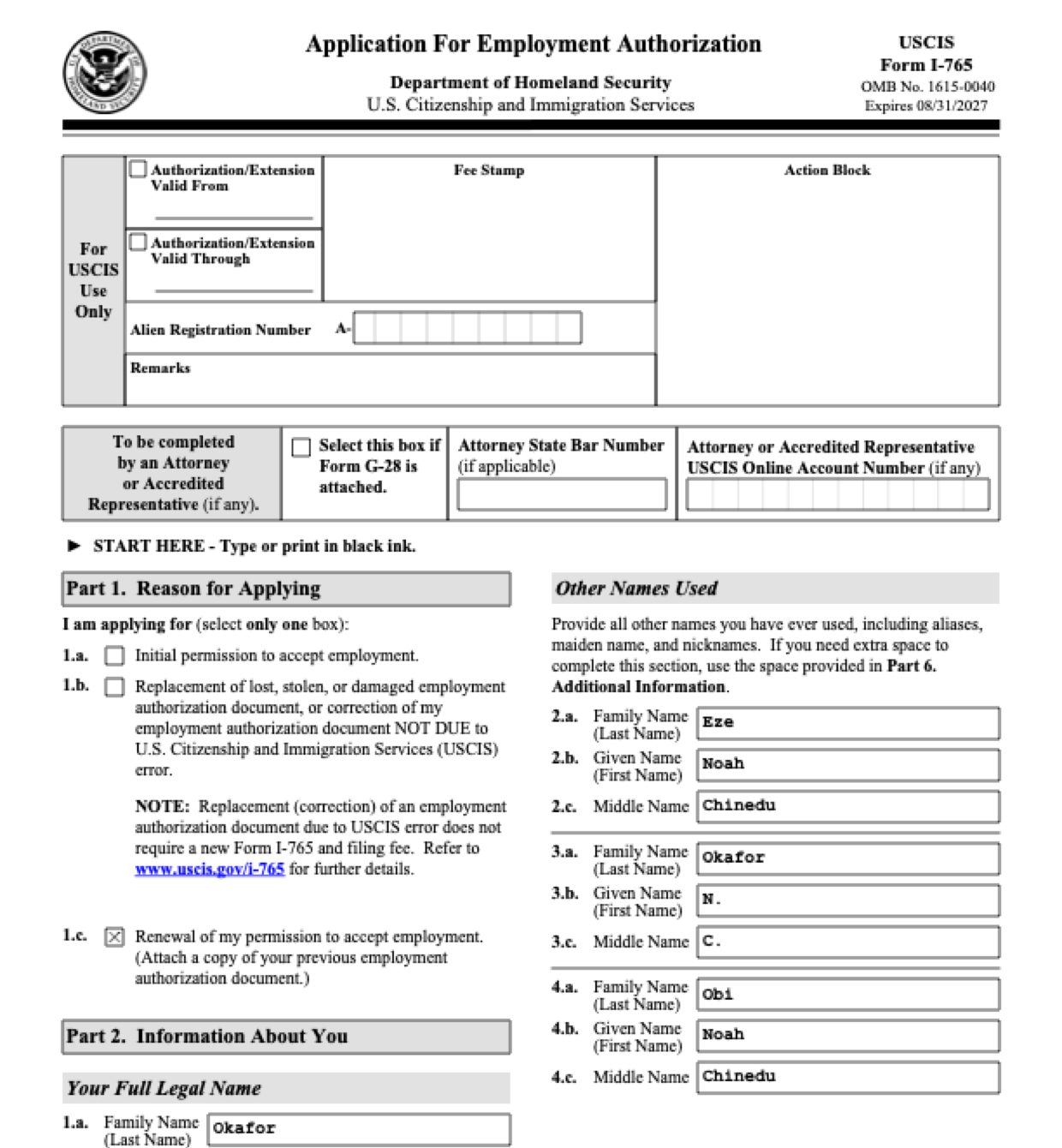
Form I-765 asks for a person’s names, numbers and immigration history over seven pages. The papers behind it are full of look-alikes: earlier names, old addresses, and numbers from the passport, the I-94, the school and the employer. These are the common places AI tools and autofill get it wrong. What the form requires is for USCIS to say. Follow its instructions. USCIS instructions for Form I-765.
Intake sheets list earlier names on one line, sometimes as initials. Software can merge them, drop one, or put a given name in the family name box.
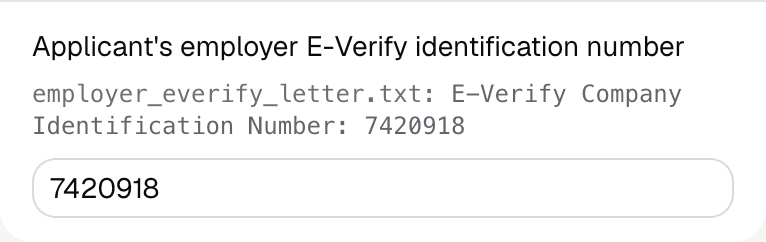
STEM OPT letters often give the employer’s federal tax ID next to its E-Verify company ID. Both are numbers, and software can copy the wrong one.
Copies of earlier work permits and school records keep a student address from years back. Software can fill an address the applicant left long ago.
An eligibility category written as (c)(3)(C) belongs in three separate boxes. Software can paste it whole into one, or split it wrongly.
A passport shows one nationality, while the intake can list two. Software can fill only the passport’s, or swap them.
Intake sheets and copies often show only the last four digits. Software can copy the masked number into the boxes or pad it out.
With a test client and four documents (a STEM OPT intake, the passport and I-94, the I-20 with a copy of the earlier work permit, and the employer’s E-Verify letter), Fyllyo filled 54 fields in 17 seconds. The test documents show only the last four digits of the Social Security number, so it was left for the preparer.
Fyllyo fills 144 of the 147 fields on Form I-765 from the client’s documents. Lines the documents don’t support stay blank and are listed for you to check.
You do
You confirm on every form
Fyllyo reads the documents you already have. These can be PDFs, scans, photos, Word files or typed notes, and you can add several at once. Fyllyo works out which document answers which line.
Filling Form I-765 for clients? Compare AI form fillers for law firms.
Client documents and the filled form never leave your computer. Fyllyo uploads nothing. Once it is set up, filling works offline.
Fyllyo doesn’t decide what to file, give legal or tax advice, or submit Form I-765 for you. Use the USCIS’s instructions for Form I-765 and your professional judgement. Fyllyo does the reading and the typing.
The built-in Form I-765 is the edition dated 08/21/25. For a different edition, add that fillable PDF as your own form. You set it up once, then fill it like this one. Set up that fillable PDF as your own form →
Fyllyo reads scans and photos as well as PDFs, Word files and typed notes. Clear, readable copies give the best results, and every answer on Form I-765 still shows the line it came from.
Try form filling free for 5 days. Then buy Fyllyo Paid once for $99. It is a lifetime licence with free updates and no subscription. Filling forms on your Mac uses no AI credits. Pricing and licence details.