 fyllyo
Dates in pieces
The form asks for “the 14 day of October, 2026” in separate blanks. Software can put the whole date in one blank, or swap the day and the month.
GOVERNMENT FORMS · New York Family Court · BUILT IN
Add the court worksheet, the intake and the verified petition. Fyllyo fills General Form 1 on your Mac, shows the lines behind each answer and leaves anything the documents don’t answer for you, with the reason.
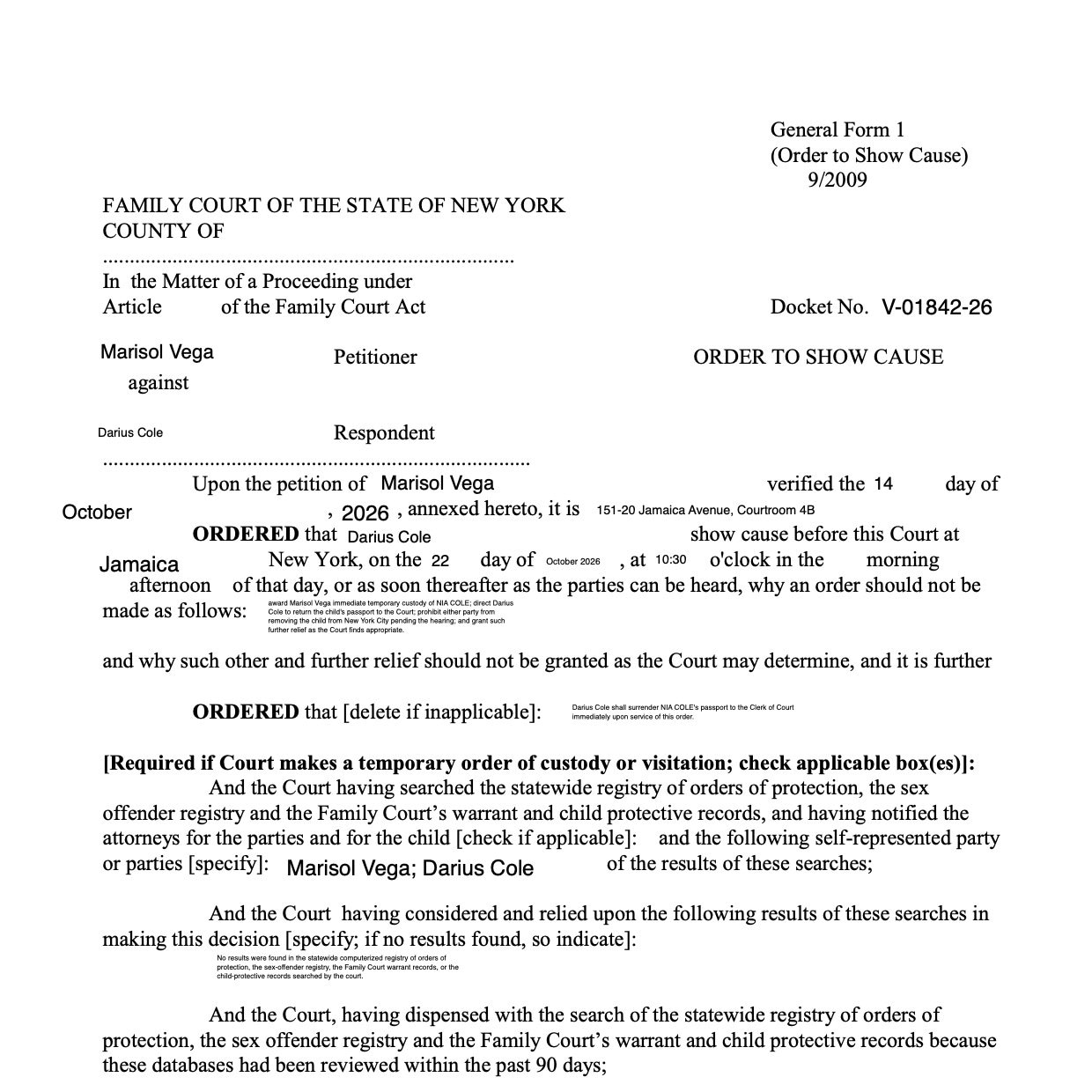
General Form 1 is the order a Family Court judge signs. Its blanks sit inside running sentences: a date split into day, month and year, two people in several roles, and a request written out over numbered lines. The papers behind it are full of other names, numbers and addresses. These are the common places AI tools and autofill get it wrong. What the form requires is for the New York State Unified Court System to say. New York Family Court official page for General Form 1.
The form asks for “the 14 day of October, 2026” in separate blanks. Software can put the whole date in one blank, or swap the day and the month.
One person is the petitioner, whose petition is annexed; the other is the respondent, ordered to show cause and served. Software can mix up the roles.
The papers hold a passport number, a student ID, a masked Social Security number and phone numbers. Software can put any of them in the docket blank.
The worksheet prints the judge’s name under an empty signature line. Software can type the name where the judge signs.
The reasons for emergency relief run over numbered lines. Software can cram them into the first line or cut sentences in half.
With a test client and five documents (a court worksheet, a family court intake, the child’s passport copy, school and email records, and the verified petition with an emergency request), Fyllyo filled 34 fields in 12 seconds. Every field it filled matched the test client’s answers.
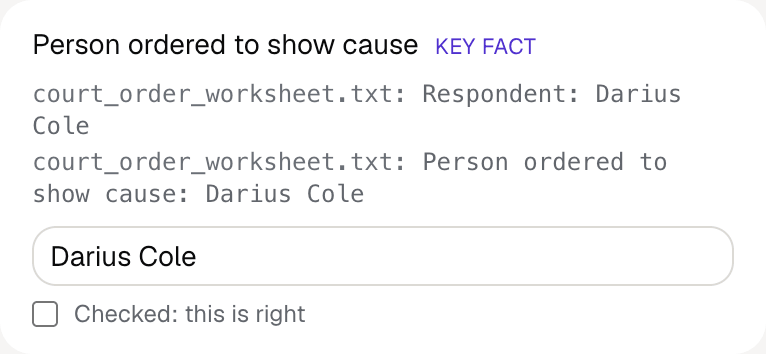
Fyllyo fills 41 of the 42 fields on General Form 1 from the client’s documents. Lines the documents don’t support stay blank and are listed for you to check.
You do
You confirm on every form
Fyllyo reads the documents you already have. These can be PDFs, scans, photos, Word files or typed notes, and you can add several at once. Fyllyo works out which document answers which line.
Filling this form for clients? Compare AI form fillers for law firms.
Client documents and the filled form never leave your computer. Fyllyo uploads nothing. Once it is set up, filling works offline.
Fyllyo doesn’t decide what to file, give legal or tax advice, or submit General Form 1 for you. Use the New York Family Court’s official page for General Form 1 and your professional judgement. Fyllyo does the reading and the typing.
The built-in General Form 1 is the 9/2009 edition. For a different edition, add that fillable PDF as your own form. You set it up once, then fill it like this one. Set up that fillable PDF as your own form →
Fyllyo reads scans and photos as well as PDFs, Word files and typed notes. Clear, readable copies give the best results, and every answer on General Form 1 still shows the line it came from.
Try form filling free for 5 days. Then buy Fyllyo Paid once for $99. It is a lifetime licence with free updates and no subscription. Filling forms on your Mac uses no AI credits. Pricing and licence details.