 fyllyo
The caption Part and the hearing Part
The form has two Part blanks: the one in the caption and the one where the motion is heard. Case papers often show both, and software can put the same number in each, or swap them.
GOVERNMENT FORMS · NYC Civil Court · BUILT IN
Add the summons and complaint, the affidavit, the court’s hearing assignment and your notes. Fyllyo fills the Notice of Motion on your Mac. Anything it can’t confirm is left for you, with the reason.
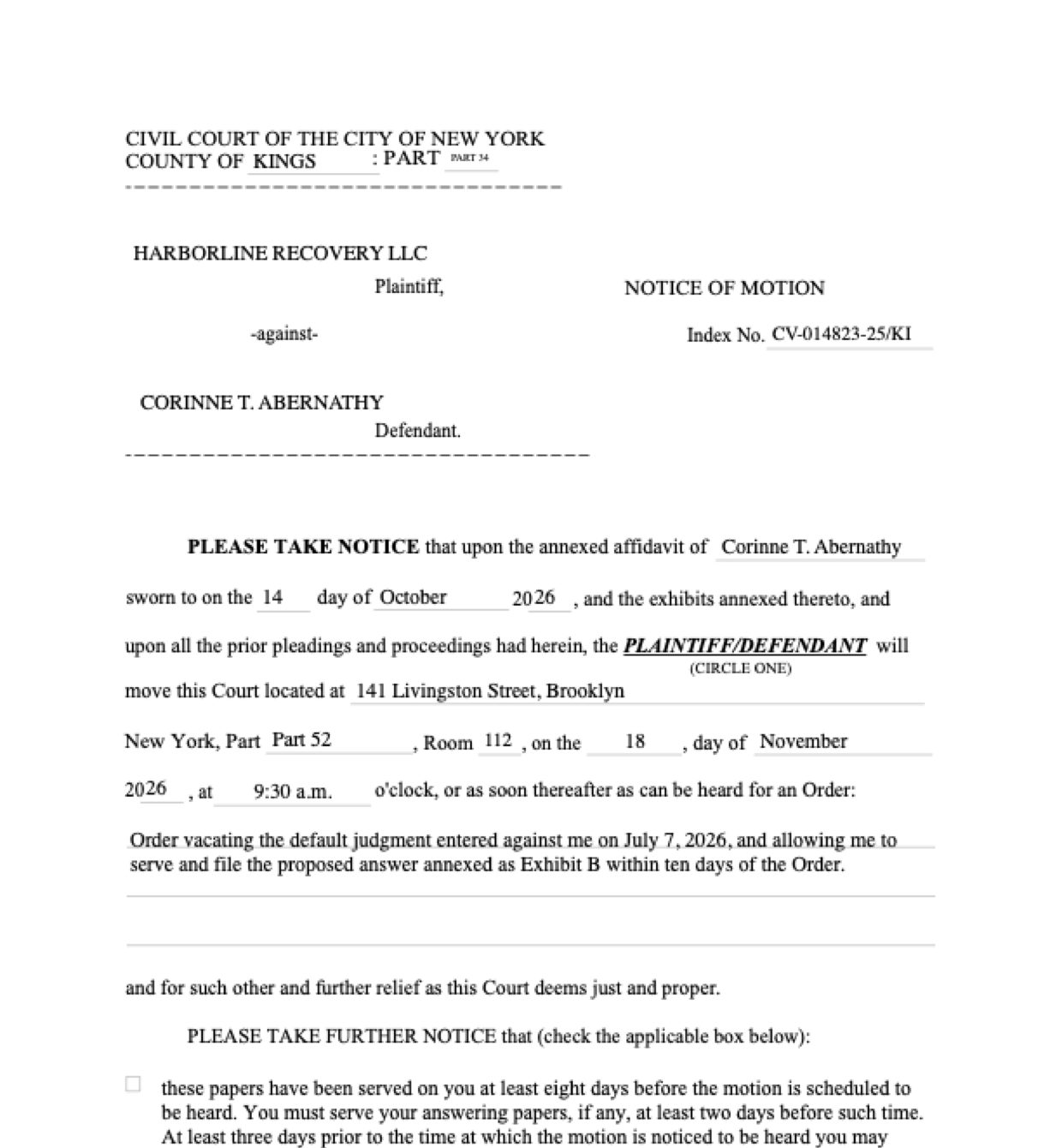
Most of the Notice of Motion is copying the caption, a few dates and the relief from the case papers. The trouble starts where the papers hold several versions of the answer: two Parts, a cancelled hearing date, an informal summary of the relief, a letter from the other side. These are the common places AI tools and autofill get it wrong. What the form requires is for the New York State Unified Court System to say. Follow its instructions. NYC Civil Court official page for Form CIV-GP-124.
The form has two Part blanks: the one in the caption and the one where the motion is heard. Case papers often show both, and software can put the same number in each, or swap them.
Courts reissue hearing assignments. The cancelled slip and the corrected one sit side by side in the file, and software can take the first date, Part and room it finds.
Motion papers carry many dates: when the affidavit was drafted, signed and sworn, when the notice was dated, when the fee was paid and when the judgment was entered. Software can take the wrong one, or put a full year into a box printed after “20”.
The order a motion asks for is spelled out in the affidavit, and notes often summarize it informally. Software can paraphrase it, shorten it, or copy the casual version.
Collection cases carry many numbers: the account number, the law firm’s file number, payment references, calendar and receipt numbers. Software can put any of them in the index box.
The file holds a letter from the opposing lawyer with its own sender block, and the summons carries the person’s old address. Software can sign the notice from the wrong side, or from an address that’s no longer good.
The form offers two service-notice paragraphs. Software can mark one by counting days between dates, or mark both.
With a test client and seven documents (the corrected hearing assignment, the summons and complaint, the affidavit in support, the original calendar slip, preparation notes, a letter from opposing counsel and the fee receipt), Fyllyo filled 21 fields in 13 seconds. Each answer shows the lines it came from.
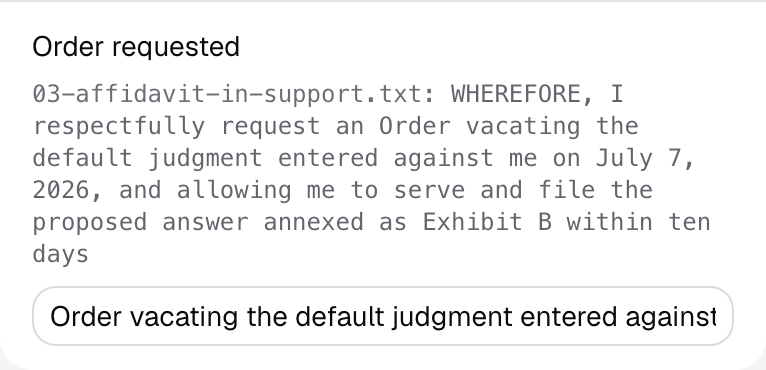
Fyllyo can fill all 22 fields on Form CIV-GP-124 from the client’s documents. Lines the documents don’t support stay blank and are listed for you to check.
You confirm on every form
Fyllyo reads the documents you already have. These can be PDFs, scans, photos, Word files or typed notes, and you can add several at once. Fyllyo works out which document answers which line.
Filling Form CIV-GP-124 for clients? Compare AI form fillers for law firms.
Client documents and the filled form never leave your computer. Fyllyo uploads nothing. Once it is set up, filling works offline.
Fyllyo doesn’t decide what to file, give legal or tax advice, or submit Form CIV-GP-124 for you. Use the NYC Civil Court’s official page for Form CIV-GP-124 and your professional judgement. Fyllyo does the reading and the typing.
Fyllyo reads scans and photos as well as PDFs, Word files and typed notes. Clear, readable copies give the best results, and every answer on Form CIV-GP-124 still shows the line it came from.
Try form filling free for 5 days. Then buy Fyllyo Paid once for $99. It is a lifetime licence with free updates and no subscription. Filling forms on your Mac uses no AI credits. Pricing and licence details.