 fyllyo
PDF form not working in Preview? What Preview does to forms
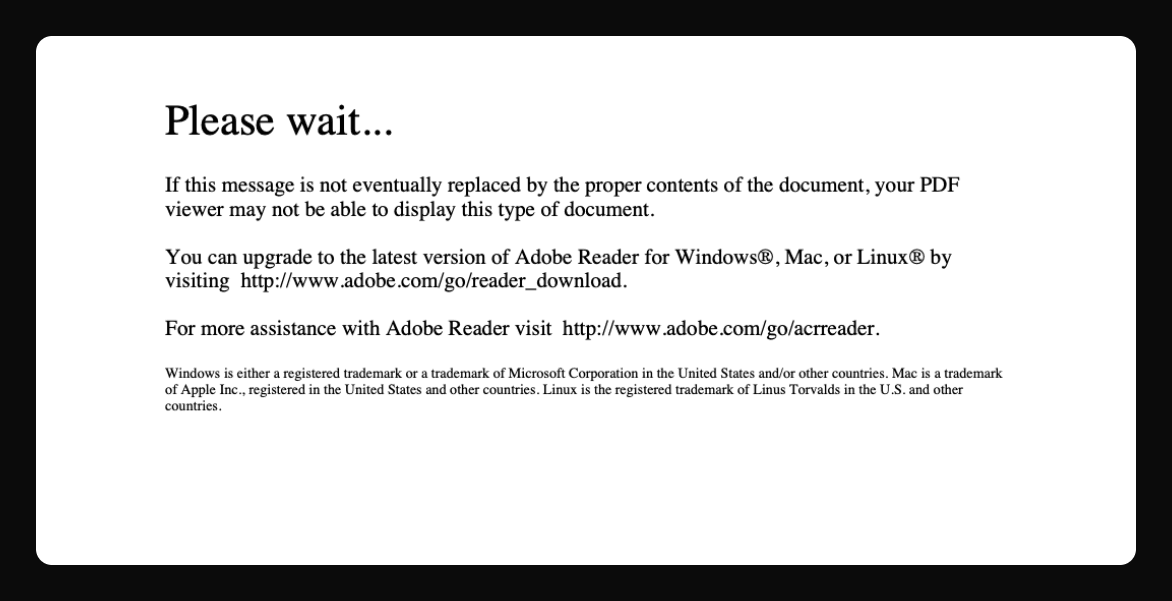
Preview fills in simple PDF forms, but it doesn’t run a form’s own scripts. Totals don’t calculate, dates and amounts don’t format, and in our test, saving deleted all 4 of the form’s scripts. Dynamic XFA forms show “Please wait…”. To fix it, fill the form in an app that runs form scripts, such as Fyllyo, and save it there.
Find your problem
| What you see | Why | The fix |
|---|---|---|
| Totals or other fields don’t calculate | Preview doesn’t run a form’s own scripts, which do the math. In our test, saving deleted them. | Fill it in an app that runs form scripts, such as Fyllyo, free, before you save it in Preview. |
| “Please wait… If this message is not eventually replaced…” | It’s a dynamic XFA form. Preview can’t build those. | How to open a “Please wait…” PDF on a Mac |
| You can’t type in it | It has no form fields, it’s an XFA form, or it’s restricted. | Why you can’t type in a PDF, and the fix |
| Dates or amounts don’t format | Formatting is a form script too. In our test, Preview deleted the money and date formats when it saved. | Use an app that runs form scripts, then check what each field shows. |
| The form looks different in another app | Preview rewrites the form when it saves. In our test, 9 field boxes dropped out of the form’s field list. Preview also told other apps to redraw every field themselves. | Fill and save the form in an app that keeps its structure and draws every field. |
How did we test Preview with a PDF form?
We made a one-page work order, a test form with the parts real forms use:
- text fields: a client name, hours and a rate;
- a date field that formats itself as mm/dd/yyyy;
- a total that the form works out as hours × rate, shown as money;
- a checkbox, two radio buttons and a dropdown.
On October 23, 2026 we filled it in Preview on macOS 26.2 with 12 hours at $85, ticked the checkbox, picked a radio button and a dropdown option, and saved. Then we filled the same form in Fyllyo and saved a copy. We looked inside both files with qpdf, an open-source PDF tool.
What Preview did to the form
| Preview (macOS 26.2) | Fyllyo | |
|---|---|---|
| Text, checkbox, radio buttons and dropdown saved | Yes | Yes |
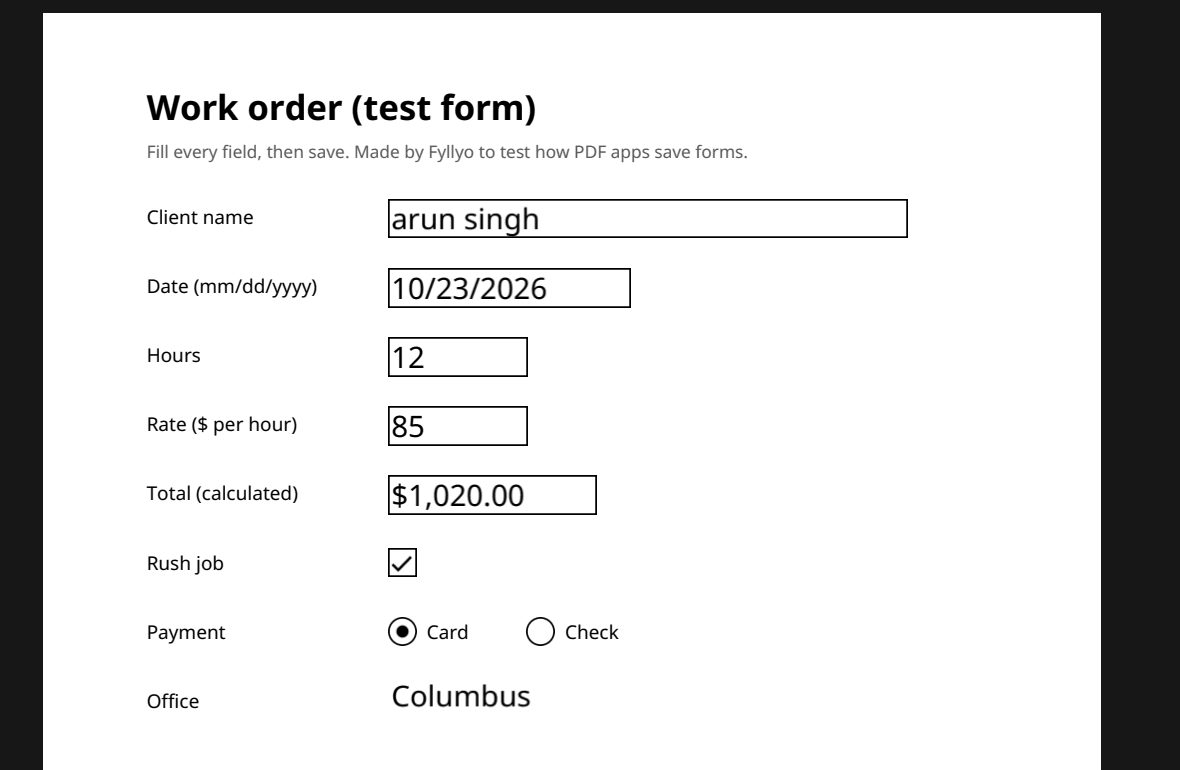
| Total worked out while filling (12 × $85) | No: it stayed empty | Yes: $1,020.00 |
| The form’s scripts after saving | All 4 deleted. The total, money and date formats can’t run in any app. | Kept |
| The form’s structure after saving | Rewritten. 9 field boxes on the page are no longer in the form’s field list. | Every field box still in the field list |
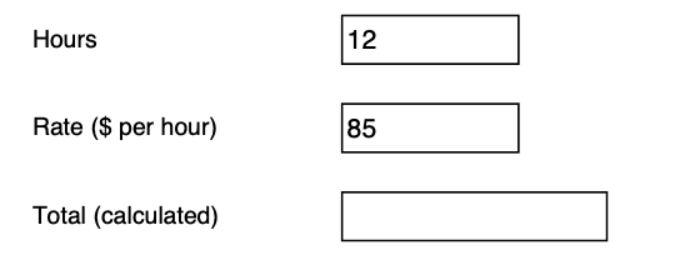
Saved in Preview: the Total was never calculated. All 4 of the form’s scripts were deleted.
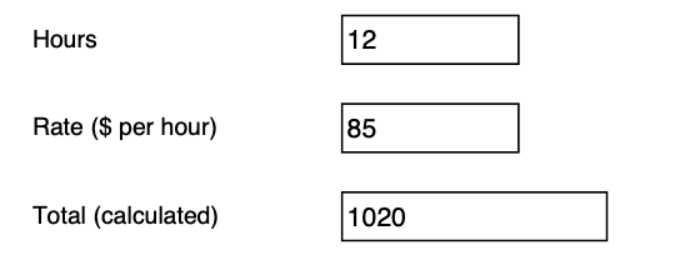
Saved in Fyllyo: the Total is 12 × $85 = 1020. All 4 scripts kept.
The deleted scripts are the part people miss. Preview doesn’t just skip a form’s calculations. Once you save, the calculations are gone from the file, so even Acrobat can’t run them later.
Will a form filled in Preview open blank on Windows?
Not in our test. Older articles and forum threads say forms filled in Preview open blank in other apps. We opened the copy saved in Preview on macOS 26.2 in two other PDF engines: Chrome’s PDF viewer, which Chrome also uses on Windows, and pdf.js, the viewer built into Firefox. Every value Preview saved showed in both. Only the total was empty, because Preview never worked it out. We didn’t test Adobe Acrobat on Windows.
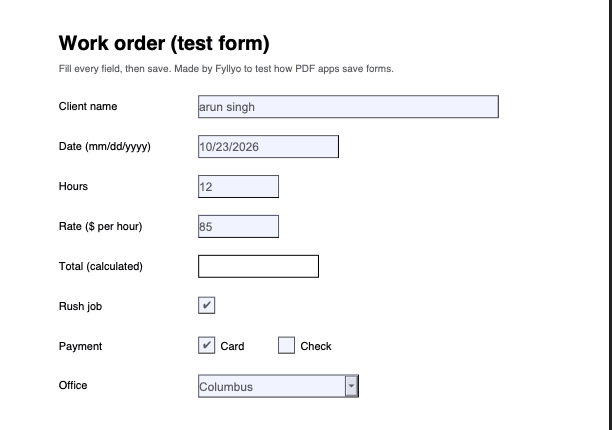
In Chrome’s PDF viewer: every saved value shows. The total is empty.
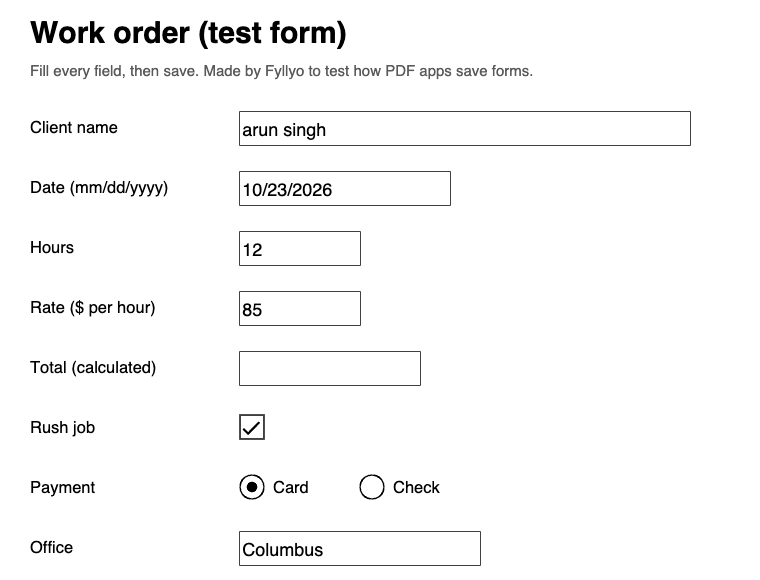
In pdf.js (Firefox): the same values. The total is empty here too.
So the bigger risk isn’t a blank form. It’s the deleted scripts: totals and formats that never work again, in any app.
Can I check the test files myself?
Download the files and open them in any PDF app:
You’re welcome to use the files and these results, with a link back to this page.
How to fill a PDF form on a Mac so it works everywhere
- Open the form in an app that runs form scripts. Fyllyo does, for free: totals, dates and checks work as you type, as in Acrobat.
- Fill it and check the calculated fields. If a total stays empty, the form’s scripts aren’t running.
- Save it in the same app. Opening and saving it in Preview afterwards deletes the scripts.
Wondering whether you need Acrobat instead? Read Acrobat vs Preview on Mac.
Filling the same form for client after client? Fyllyo Paid fills it from your documents, on your Mac.