 fyllyo
PDF form text cut off on Mac? Why it happens, and the fix
Often because the form was saved on a Mac. Many forms set their fields to auto size, so long entries shrink to fit. In our test, saving with macOS’s PDF engine, which Preview saves with, changed all 4 fields to a fixed 12 pt. Opened in Chrome, all 3 long entries in auto-size boxes were cut off. Filled and saved in Fyllyo, free, all 3 auto-size entries fit.
Find your problem
| What you see | Why | The fix |
|---|---|---|
| Long entries are cut off when someone else opens the form | Saving on a Mac changed the form’s auto-size fields to a fixed 12 pt. Text that no longer fits is cut off at the edge of the box. | Fill the original form again in an app that keeps auto size, such as Fyllyo, free, and send that copy. |
| The last lines of a multi-line box are missing on your Mac | macOS shrinks long text in one-line boxes, but not in multi-line boxes. It cuts off what doesn’t fit, even when the file is right. | Fill and check it in Fyllyo: it shrinks the text in every auto-size box as you type. |
| Text is cut off in a box with a fixed size | The form’s designer chose that size. In our test Chrome cut it off in both copies. | Shorten the entry so it fits, or ask the sender for a form with more room. |
| Your entry looks tiny | Auto size shrinks long text to fit the box. That’s the form working. | Nothing to fix. Zoom in to check it. |
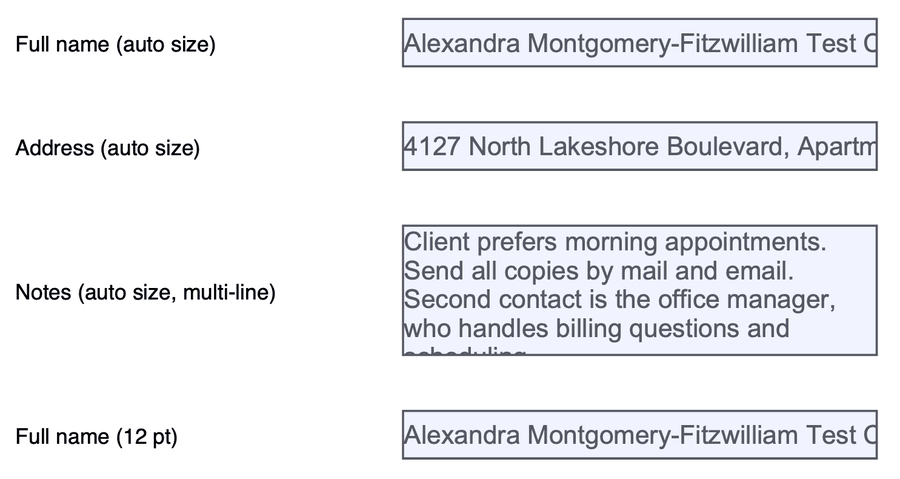
Saved by macOS, opened in Chrome: all 3 long entries are cut off.
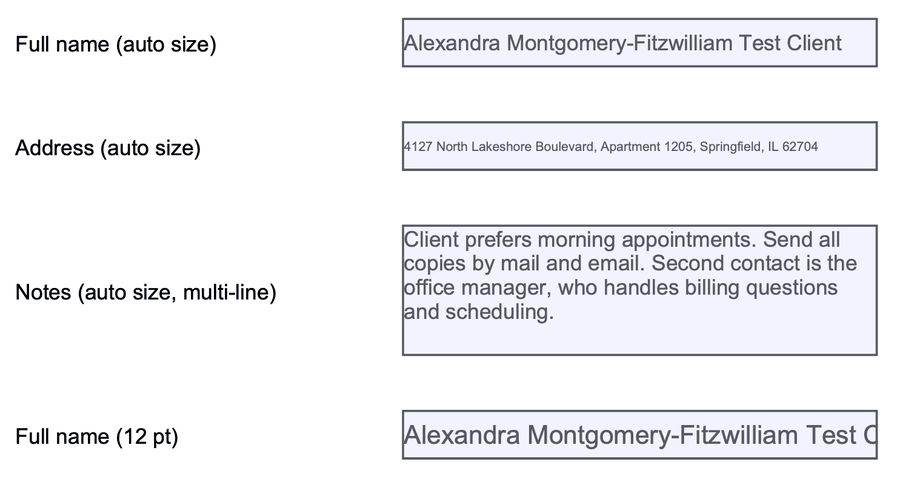
Saved in Fyllyo, opened in Chrome: all 3 auto-size entries fit. The fixed 12 pt name is cut off here too.
How did we test text that doesn’t fit a PDF form field?
We made a one-page test form with four text boxes, each 220 points wide:
- a name and an address set to auto size, the setting that shrinks long text to fit;
- a multi-line notes box, also set to auto size;
- a second name box with a fixed 12 pt size.
On October 28, 2026 we typed the same long test-client entries into it twice. Once we saved it with macOS 26.2’s own PDF engine, which Preview uses to save. Once we filled and saved it in Fyllyo. We read each saved field’s settings with qpdf, an open-source PDF tool, and opened both copies in Google Chrome’s PDF viewer.
What did saving on a Mac do to the form?
| Saved by macOS’s PDF engine (macOS 26.2) | Saved in Fyllyo | |
|---|---|---|
| Text size setting of the 3 auto-size boxes | Changed to a fixed 12 pt | Still auto size |
| Long entries in auto-size boxes, opened in Chrome | All 3 cut off | All 3 fit |
| The address in Chrome | Stops at “Apartm” | In full, in smaller type |
| The multi-line notes in Chrome | The last line cut off | All 4 lines |
The size change is the part to remember. It doesn’t only affect the entries you typed. The saved form now tells other apps to draw those boxes at 12 pt. Chrome’s PDF viewer did, and cut all 3 entries off.
We then filled the same blank form in the Preview app on macOS 26.2, typing only a long address, and saved it. Preview changed all 4 fields to a fixed 12 pt as well, including the name and notes boxes nobody had touched.
Why is the text cut off on my own Mac?
In our test, macOS drew both saved copies the same way, whatever each file said. It shrank long text to fit in the one-line boxes, but not in the multi-line notes box. It cut off the last 6 words there, both in the copy macOS saved and in the copy Fyllyo saved.
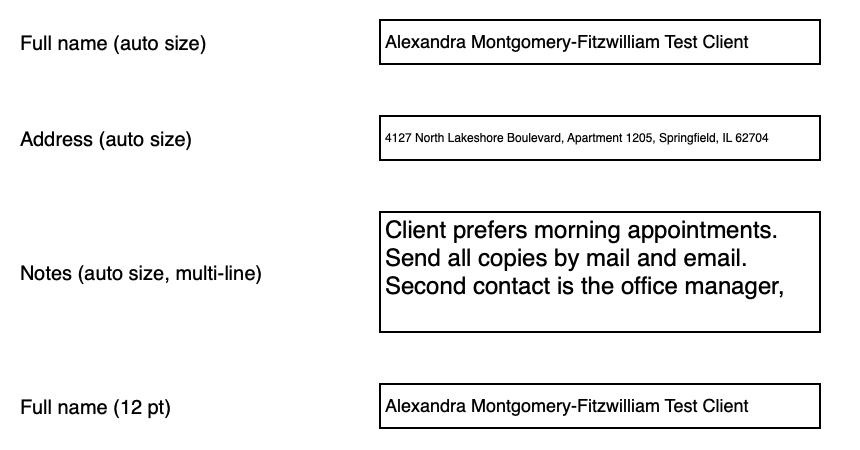
So on a Mac, check a long multi-line entry in Fyllyo before you send the form. Fyllyo shrinks the text in every auto-size box as you type, and saves the form with auto size still on.
Can I check the test files myself?
Download them and open each one in Chrome, Acrobat Reader or any PDF app:
- The blank test form
- Filled and saved by macOS’s PDF engine, as Preview does
- Filled and saved in Fyllyo
You’re welcome to use the files and these results, with a link back to this page.
How to fill a PDF form on a Mac so long entries fit
- Start from the original form. If you already saved it in Preview, its auto-size boxes are now fixed 12 pt. Go back to the file you were sent.
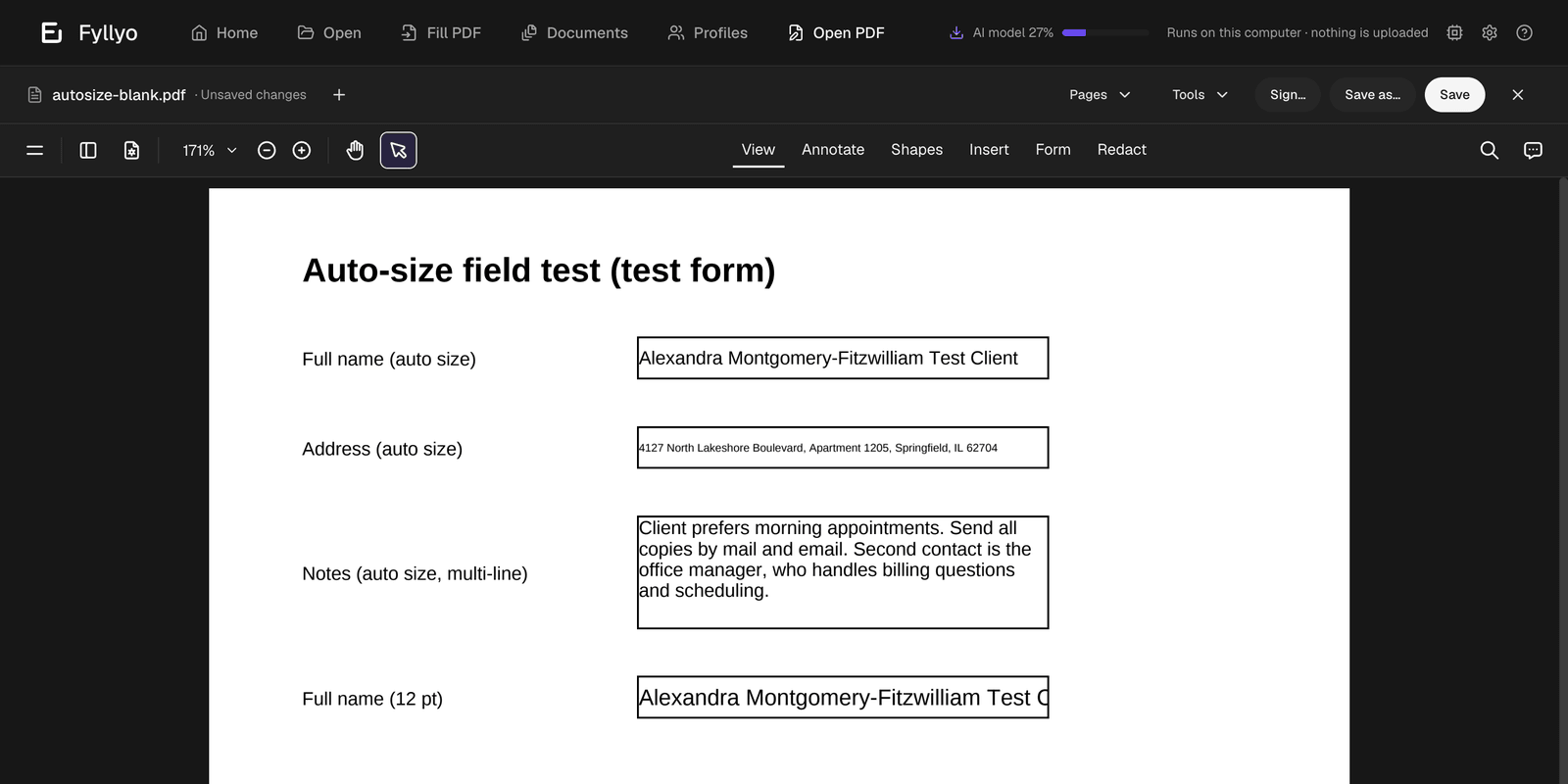
- Open it in Fyllyo. Fyllyo fills PDF forms for free, and it shrinks long entries to fit as you type.
- Check every long entry on screen. If it still runs past the edge, that box has a fixed size. Shorten the entry.
- Save it in Fyllyo and send that copy. Don’t open and save it in Preview afterwards.
Saving in Preview does more to forms than this. See what it did to totals and form scripts in our test. Was the form signed? Read what Preview did to a signature.